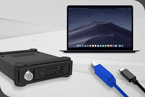
MB662U3-2S R1 Drives not recognised in external enclosure. I removed two 3TB HDDs from my icy dock enclosure (RAID 1 Mode) to replace them with 8TB drives. Thinking the 3TB drive & back up drive would work in an external enclosure, but they're not mounting. I don't think I can return them to the icy dock as this will erase them? Mac OSX Mojave (2012 27" imac)
Hello dseenya007,
The following methods are recommended for this problem according to the following situations:
Note: the following operations all have the risk of data loss due to failure. It is recommended that you connect the drive directly to the motherboard and back up the data to the computer before performing the following operations.
Situation 1. Can distinguish between the master drive and the slave drive:
Step1
Replace the master drive back into MB662 and turn on the computer to confirm that the drive is recognized and RAID Manager displays degraded RAID1.
Step2
Replace the slave drive and confirm that RAID Manager displays RAID1 rebuild or RAID1.
Situation 2. Cannot distinguish between the master drive and the slave drive:
Step1
Shut down the computer and switch MB662 to JBOD mode.
Step2
Replace one of the drives back into the MB662 and turn on the computer to confirm that the drive is recognized and RAID Manager displays JBOD.
Step3
Shut down the computer, switch the MB662 back to RAID1 mode, remove the original drive, and install another drive.
Step4
Turn on the computer and confirm that the drive is recognized and RAID Manager displays degraded RAID1.
Step5
Reinstall the Step 2 drive and confirm that RAID Manager displays RAID1 rebuild or RAID1.
If you are unable to back up the data on the drives to your computer, you can also use the following method to achieve the same result:
Step 1
Install one of the drives in the MB662 and then turn on the computer.
Step 2
Install a new drive, or a drive that has been through the MB662 JBOD (refer to situation 2 steps 1 and 2).
*Another unmounted drive is used as a backup drive to avoid data loss during operation.