

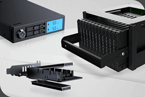
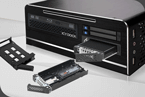


I recently got a MB873MP-B V2 and I'm having difficulty getting my system to see the NVMes in the enclosure.
Here are the setup details:
8x8TB WD Black NVMEs (SN850X)
Highpoint 1528D PCIe 4 NVME switch HBA (https://www.highpoint-tech.com/nvme-switch-adapter/gen4/rocket-1528d) in Slot 1 on my MoBo x16
Asus ROG Zenith II Extremem Alpha Motherboard with 256GB of RAM
AMD Threadripper 3970x 32 Core CPU
Over the past few weeks (while waiting for various shipments of new cables) in troubleshooting I've done the following
1. Replaced SlimSas > 2x Occulink cables three times! Including the last two times moving from 80cm to 50cm cables. No difference in shorter cables
2. I was originally splitting power form my PSU via a Sata splitter, I'm now running dedicated SATA power connections to each side of the MB873MP_B V2
3. I've switched the highpoint card to every slot in the machine
4. Firmware updated the 1528D
5. I've reseated each NVMe paying careful attention to the alignment pin
6. I've taken out each NVMe and placed in a portable enclosure and mounted on Mac/Win - all the NVMes are seen and test fine
7. All drive lights show green, but never blinking (activity). Additionally each drive is room temp/not hot when pulling from the enclosure. This leads me to believe they're not getting power?
This storage is for a TrueNas/Proxmox system. If run lspci (or lspcie - vnn) from the CLI in ProxMox or Trunas I can see the Highpoint card but do NOT see the drives and the drives aren't available in ProxMox to pass through, and do not show up on the servers list of drives.
So only thing I can think of is the backplane on the MB873MP-B V2 is faulty
If there is more trouble shooting I can do I'm all ears, but I've tried everything I can think of.
Thanks!
Here are the setup details:
8x8TB WD Black NVMEs (SN850X)
Highpoint 1528D PCIe 4 NVME switch HBA (https://www.highpoint-tech.com/nvme-switch-adapter/gen4/rocket-1528d) in Slot 1 on my MoBo x16
Asus ROG Zenith II Extremem Alpha Motherboard with 256GB of RAM
AMD Threadripper 3970x 32 Core CPU
Over the past few weeks (while waiting for various shipments of new cables) in troubleshooting I've done the following
1. Replaced SlimSas > 2x Occulink cables three times! Including the last two times moving from 80cm to 50cm cables. No difference in shorter cables
2. I was originally splitting power form my PSU via a Sata splitter, I'm now running dedicated SATA power connections to each side of the MB873MP_B V2
3. I've switched the highpoint card to every slot in the machine
4. Firmware updated the 1528D
5. I've reseated each NVMe paying careful attention to the alignment pin
6. I've taken out each NVMe and placed in a portable enclosure and mounted on Mac/Win - all the NVMes are seen and test fine
7. All drive lights show green, but never blinking (activity). Additionally each drive is room temp/not hot when pulling from the enclosure. This leads me to believe they're not getting power?
This storage is for a TrueNas/Proxmox system. If run lspci (or lspcie - vnn) from the CLI in ProxMox or Trunas I can see the Highpoint card but do NOT see the drives and the drives aren't available in ProxMox to pass through, and do not show up on the servers list of drives.
So only thing I can think of is the backplane on the MB873MP-B V2 is faulty
If there is more trouble shooting I can do I'm all ears, but I've tried everything I can think of.
Thanks!