


Icy Dock EZConvert MB703M2P B
The new Icy Dock EZConvert MB703M2P-B is a M.2 SATA SSD to 2.5 SATA SSD converter adapter. This new adapter allows users to install M.2 SATA drives into a 2.5” case form factor that connects to standard SATA connections. For users who have limited M.2 SATA ports on your motherboards, this new kit can come in handy and gives greater flexibility to the number of these drives that can be connected to your system.
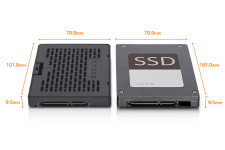
Icy Dock EZConvert MB703M2P B Case Size
The above graphic shows the form factor of the EZConvert MB703M2P-B is the same size as a standard 2.5” SSD. Users will no issues installing the EZConvert MB703M2P-B into 2.5” drive bays.
Icy Dock EZConvert MB703M2P-B Specifications
Key specifications for the Icy Dock EZConvert MB703M2P-B are: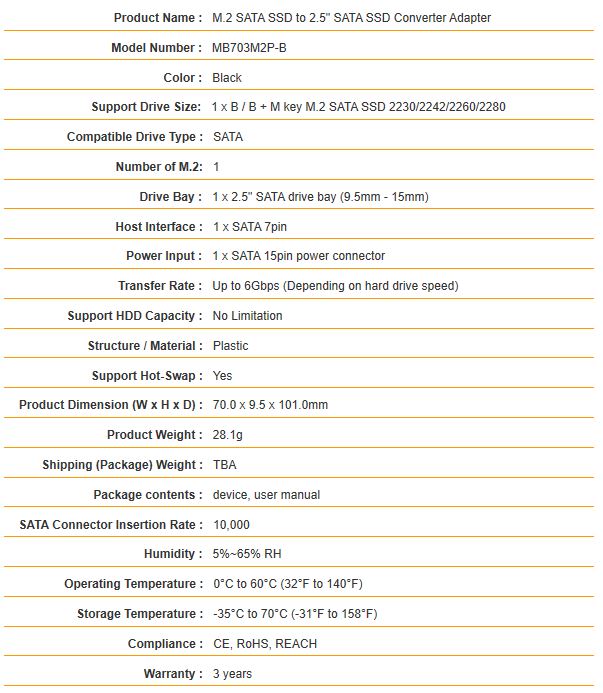
Icy Dock EZConvert MB703M2P B Specifications
This is a relatively simple device, so there is not much there. The key to this entire product is that it is for SATA III 6.0gbps devices, not NVMe devices. NVMe is a different protocol and so putting a NVMe SSD in here will not make it work with SATA.
Icy Dock EZConvert MB703M2P-B Contents
Compared to other ICY DOCK products we have reviewed which come in a plain cardboard box, ICY DOCK supplies the EZConvert MB703M2P-B in a retail box which has better shelf appeal. Retail box graphics are cleaner and in color this time around.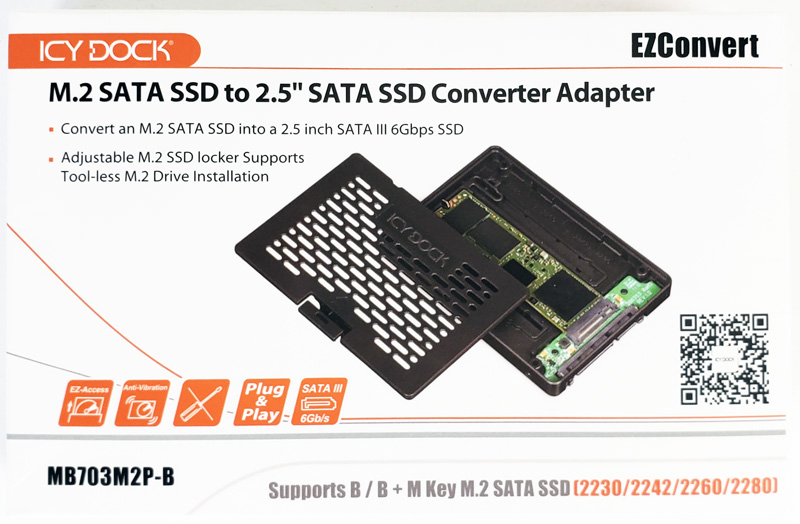
Icy Dock EZConvert MB703M2P B Box Front
One will notice the QR code. QR codes are somewhat popular in the US and EMEA, however, they are a way of life in China. One can scan the QR code and get more information on the adapter.
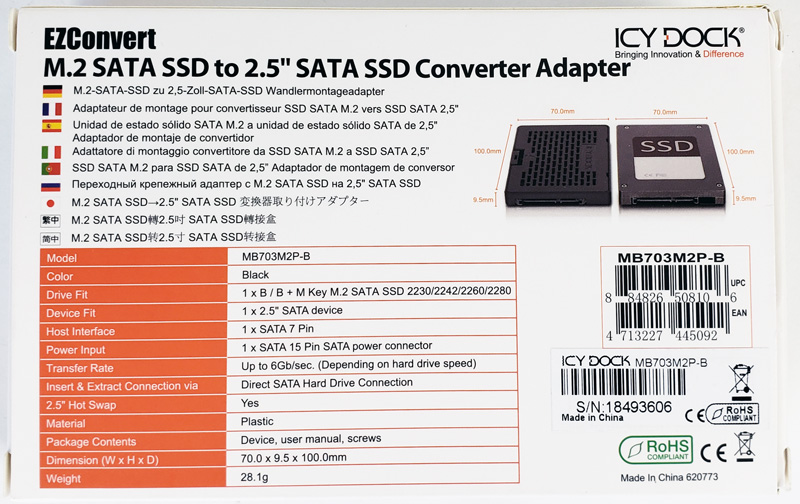
Icy Dock EZConvert MB703M2P B Box Back
Full details about the Icy Dock EZConvert MB703M2P-B are clearly printed on the retail box that helps users know just what this device is and how it can be used.
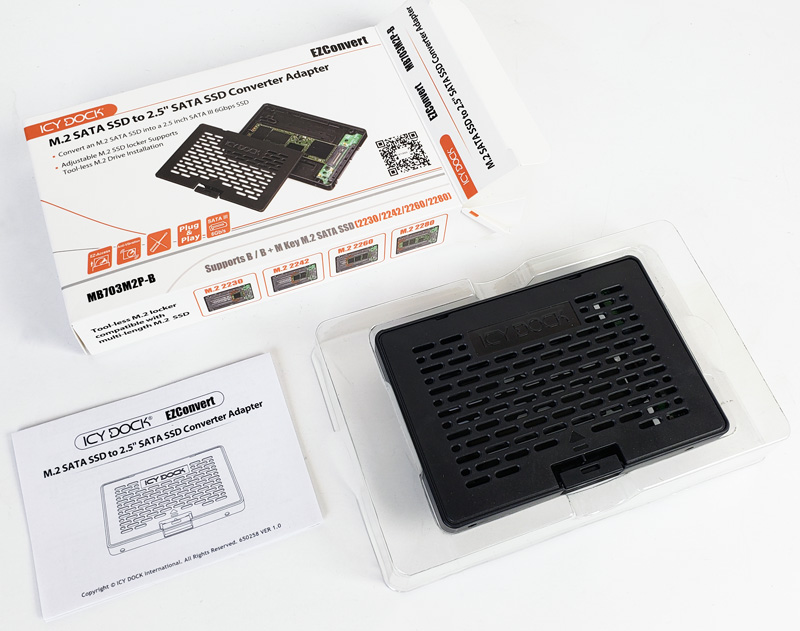
Icy Dock EZConvert MB703M2P B Contents
Packaging for the EZConvert MB703M2P-B is simple and includes the EZConvert case, and installing instructions.
Features of the ICY DOCK EZConvert MB703M2P-B
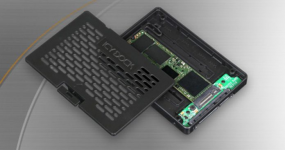
The Icy Dock EZConvert MB703M2P-B case itself is well ventilated to allow air flow through the case to cool the M.2 drive inside.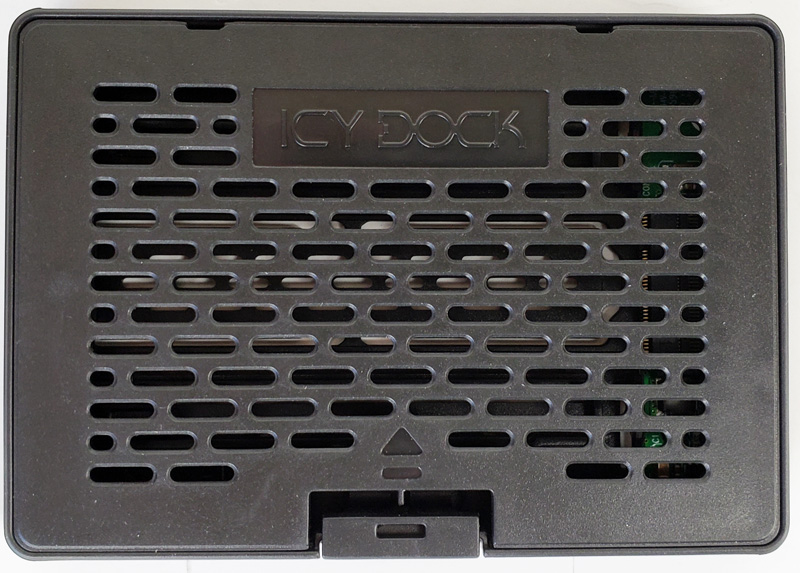
Icy Dock EZConvert MB703M2P B Case Top
Looking at the bottom of the EZConvert MB703M2P-B case we spot a rectangle cut out in a section that can be removed to provide additional airflow. We do not feel that removing this section is really needed as the case has excellent airflow as it is. SATA devices are much lower on the performance scale so we generally do not see as hot of SATA M.2 SSDs as NVMe SSDs.
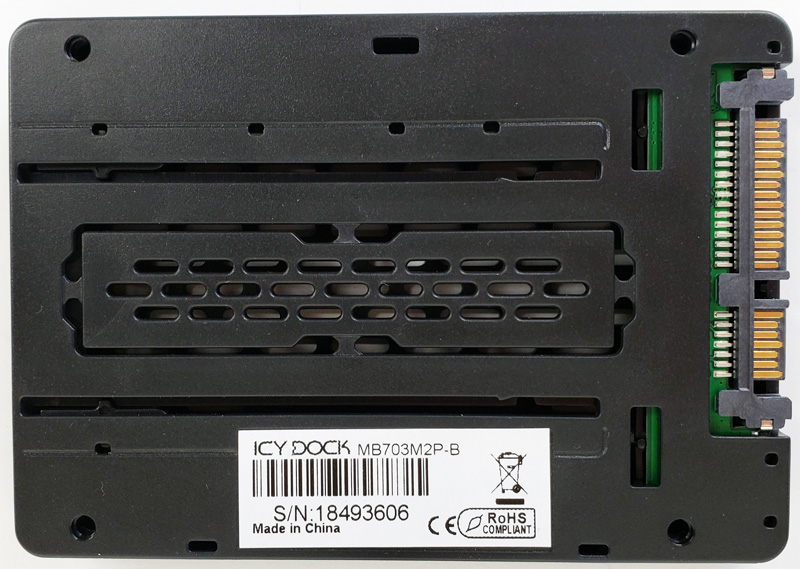
Icy Dock EZConvert MB703M2P B Case Back
Overall installing a M.2 SATA SSD in the Icy Dock EZConvert MB703M2P-B is simple to figure out. A thumb locking tab is located on one side of the case. Press this in and the top lid opens up.
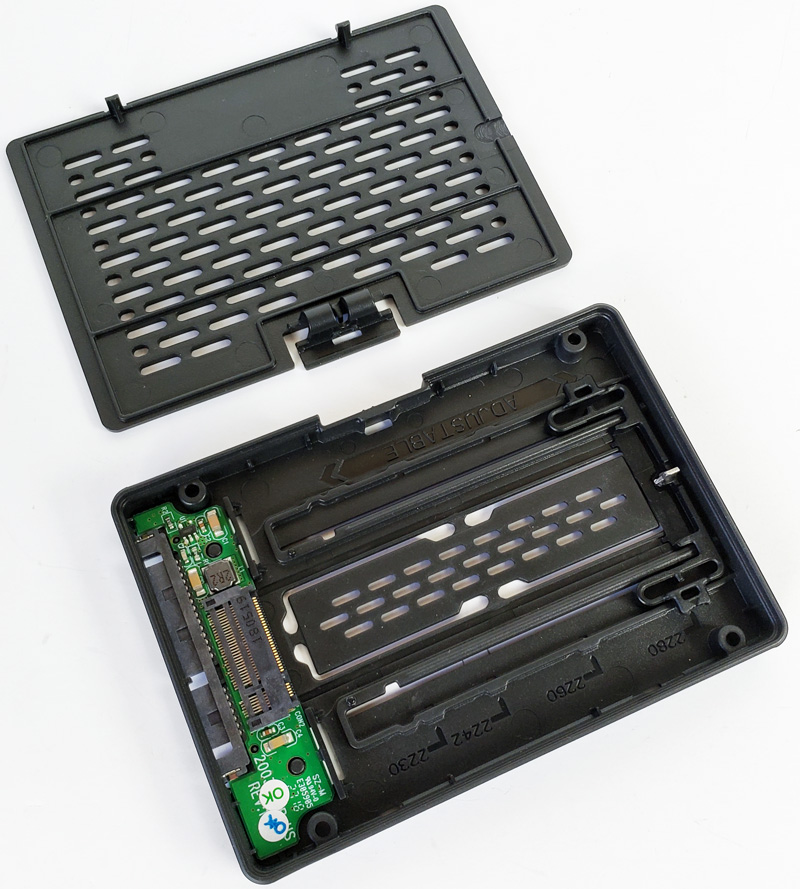
Icy Dock EZConvert MB703M2P B Case Open
With the top off of the Icy Dock EZConvert MB703M2P-B, we see a small PCB board that has the two different ports (M.2 and SATA) located on it. Here we can also see a slider that allows the four different size M.2 drives that can be installed. Supported drive sizes are 2280 (80mm), 2260 (60mm), 2242 (42mm), and 2230 (30mm.) Adjust the slider to the proper M.2 drive size before installing your SATA M.2 drive.
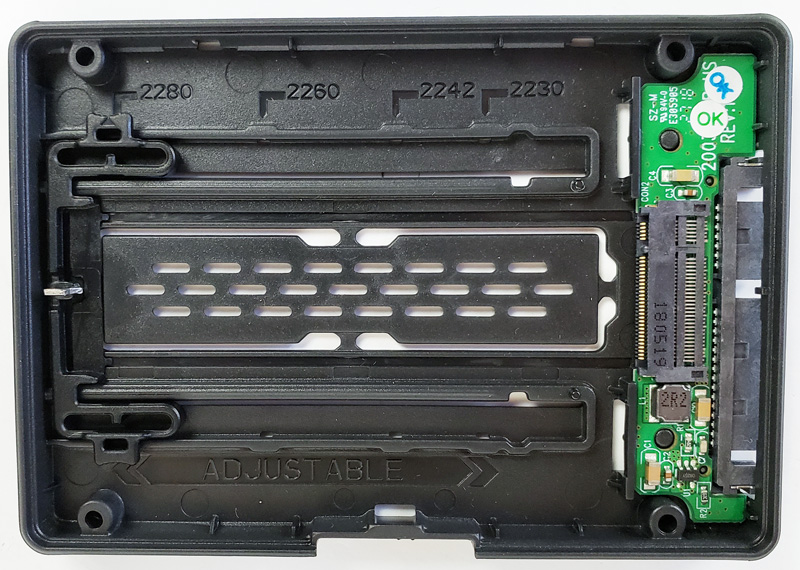
Icy Dock EZConvert MB703M2P B Case Inside
Installing your M.2 Drive in the Icy Dock EZConvert MB703M2P-B
Installing an M.2 drive is tool-less, insert your M.2 drive and push down to lock the drive into place. To remove the drive, pull back on the locking tab on the right side, and the drive will lift out.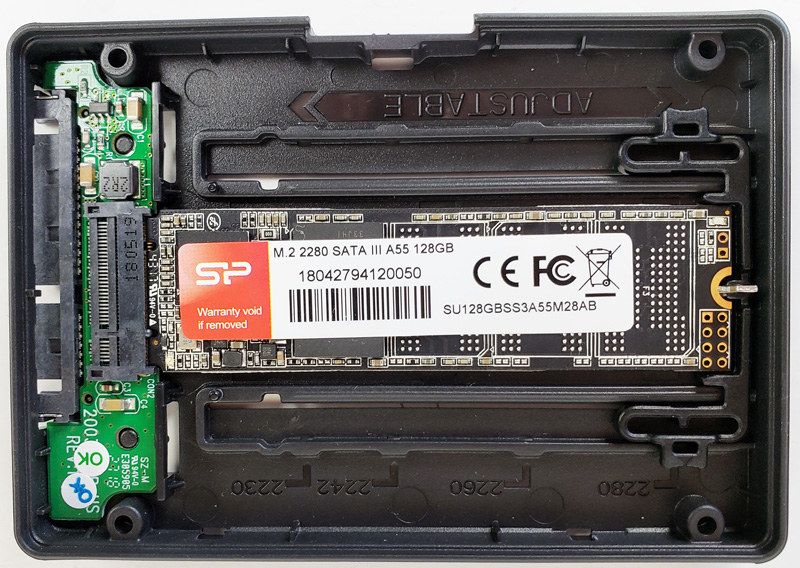
Icy Dock EZConvert MB703M2P B M2 SATA SSD Installed
In this example, we have a low-cost 128GB M.2 2280 SATA III SSD installed.
Here we see a graphic that shows how an M.2 2230 size drive installs into the EZConvert MB703M2P-B.
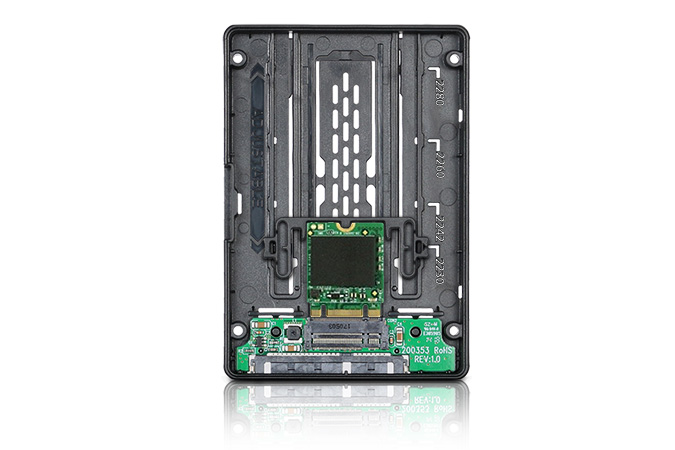
Icy Dock EZConvert MB703M2P B Adjustable M2 Sizes
In terms of installation skill necessary, users are far more likely to try putting NVMe SSDs in this device and having an issue rather than installing a proper SATA SSD. It is very simple.
Testing the Icy Dock EZConvert MB703M2P-B
We wanted to run a quick test to see if there is a performance impact by using the drive in the Icy Dock enclosure.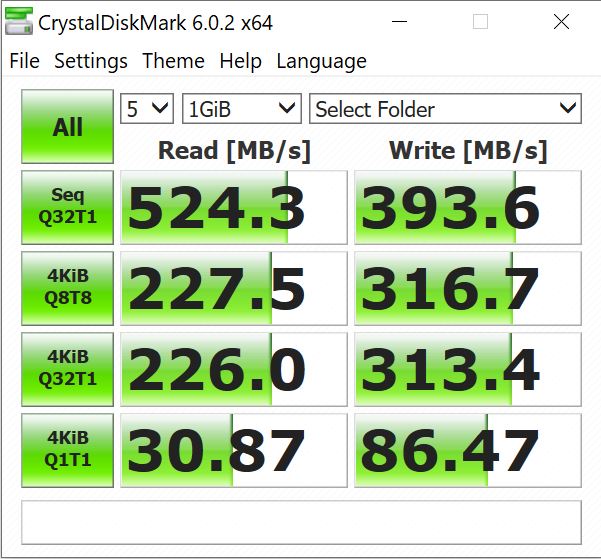
Icy Dock EZConvert MB703M2P B Drive Test
Here we ran CrystalDiskMark on our EZConvert MB703M2P-B, we see no difference between this setup or an M.2 drive installed on the motherboard. There is no performance loss from the adapter.
Final Words
Again from Icy Dock, we have another useful product with the EZConvert MB703M2P-B. Whether you have extra M.2 SATA drives laying around that you want to use, simply need to convert a M.2 SSD from a laptop or another device for imaging, or have run out of M.2 SATA ports on your motherboard the EZConvert MB703M2P-B can fill your needs by installing these drives in a standard 2.5” drive bay. These can also be used in servers with 2.5” bays without issues.Another option is to use the EZConvert MB703M2P-B with a USB to SATA cable that allows you to use this product with your laptop. USB to SATA adapters can be found for around $9 on Amazon making this a very viable option.
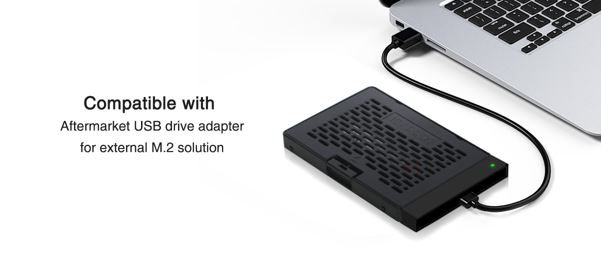
Icy Dock EZConvert MB703M2P B USB Adapter
We did note that the case is made of plastic were as most ICY DOCK products are made of metal. For this case using plastic lowered costs to make it cost effective.
We found the EZConvert MB703M2P-B over at Amazon for under $13 MSRP which is a fair price. This is a very simple device, but one that we can see our readers needing from time to time.
Our key advice, again, is that this is a SATA only device and will not work with NVMe SSDs.


Last edited: