


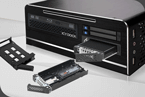


Introduction

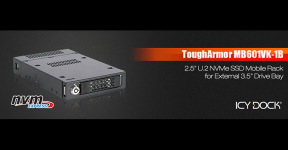
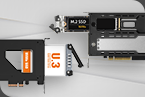
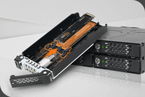
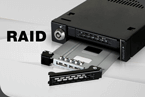
We are looking at the ICY DOCK ToughArmor MB601VK-1B 3.5" U.2 External Drive Bay unit in this review. As the name suggests, it is among the most resilient hardware products from ICY DOCK, geared not towards end-users like most of you and I, but those professionals working in large-scale, high-stakes environments where data safety, up-time, and protection against hostile environments are key.
Test Environment
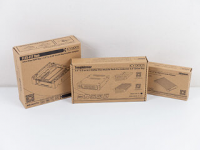
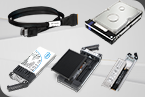
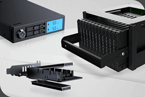
To test the ThoughArmor MB601VK-1B in a well-rounded environment with both NVMe and U.2 drives, we received a 5.25" drive bay adapter and a U.2 housing for NVMe drives, along with the external drive bay. We will focus on the unit first, but will also take a closer look at supporting products from ICY DOCK.
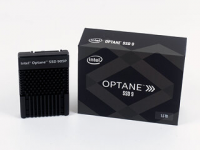
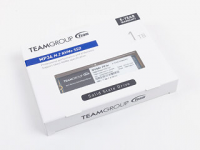

Naturally, to review the device in a proper environment, we require some pretty unique parts. Intel was kind enough to provide us with an Optane SSD 905P in a whooping 1.5 TB capacity. It is representative of an extreme option for the MB601VK-1B as this high-capacity drive tends to get quite toasty with even its integrated heatsink. These types of drives meant for enterprise use are usually actively cooled without much regard for noise output. On the other end of the spectrum, Teamgroup has supplied us with the MP34 in the 1 TB capacity, which represents our consumer-level device and allows us to showcase how to use an M.2 NVMe drive within the MB601VK-1B. Lastly, but certainly not least, Silverstone sent us the Precision PS14-E, which is a modern, functional workstation chassis with that needed 5.25" drive bay for this review.
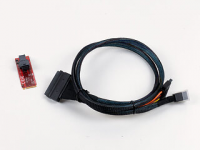
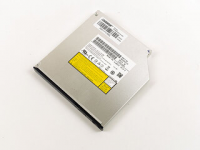
In addition to those, you will also need a way to connect the U.2-based MB601VK-1B to the test system, for which we are using a U.2 to PCIe adapter and cable. Lastly, just for the sake of completeness, as the ICY DOCK 5.25" adapter may also hold an ODD at the same time, we have a classic SATA ultra-slim DVD unit along for the ride.
A Closer Look
ToughArmor MB601VK-1B
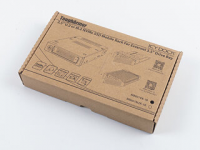
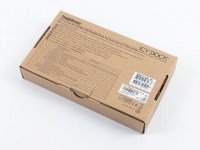
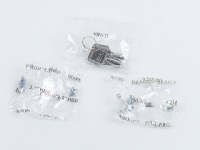
The ToughArmor MB601VK-1B, just like most of ICY DOCK products, ships in a brown cardboard box with several images of the parts that make up the whole unit on the front, along with sales points and a specification table on the back. You will even receive two sets of screws for assembly and two basic security keys to lock this device during use.
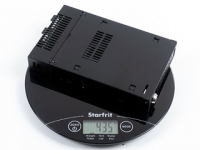
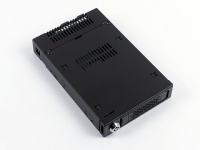
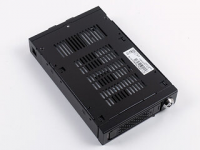
As the MB601VK-1B is made out of steel, it clocks in at almost half a kilo right out of the box without a drive installed. The top is almost completely solid with just a little air vent, which is surprising as I could see the benefit of trapping less heat above the drive. On the underside, things look much better in that regard.
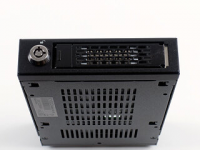
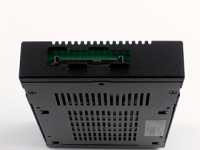
Looking at the front, you will find the lock on the left, with a metal tray that is flush with the case when pinned down. In the rear, there is just the U.2 interface connector on a green PCB and some metal tabs to keep any plug from bending too much.
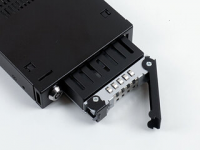
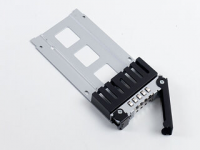
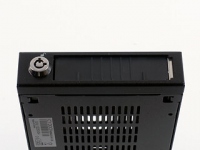
The tray can be pulled out by flipping out the metal lever. That said, the whole tray is made out of metal with the front portion filled with a black block to allow for air to enter the front of the tray before moving into the rest of the enclosure as a whole. There is a plastic latch that flips down when the tray has been pulled from the chassis to protect the interior of the MB601VK-1B.
Other ICY DOCK Products
EZConvert MB705M2P-B
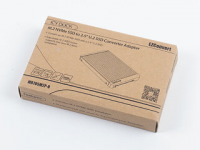
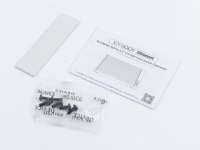
As mentioned before, we got some additional ICY DOCK parts to go with this review. To allow us to install an NVMe drive inside the ToughArmor MB601VK-1B, we received an NVMe to U.2 enclosure, or the "EZConvert MB705M2P-B," as they call it (these model names are some serious tongue twisters). Once again, there is an image of the device on the front and further details on the back of the brown box. Inside the package, you will receive a thermal strip and several mounting screws. While we are using this enclosure to add an NVMe drive, ICY DOCK will offer a tray with this functionality built right into it for use inside the MB60X series of enclosures.
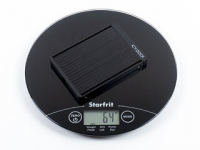
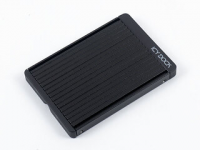
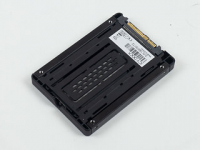
Once again weighing this, it puts 64 grams on the scale. On the top, you can see an aluminium cover, while the rear is made out of perforated steel for cooling. The only plastic element is the little ICY DOCK-branded cap on the top of the enclosure.
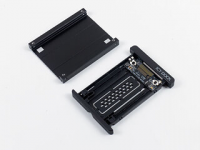
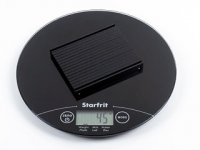
The EZConvert MB705M2P-B is completely tool-less, so you may pull off the top metal cover with a firm tug. That piece, which also acts as a passive heatsink to the drive, weighs in at a respectable 45 grams on its own, which is plenty to help keep the drive cool.
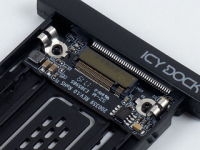
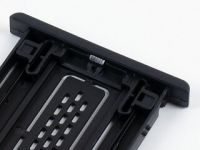
Within the device, you will find a compact and well laid out PCB with the M.2 PCIe slot in the front and a length-adjustable securing clip in the back. This allows you to install up to a 2280 NVMe drive quickly and easily.
FLEX-FIT Duo MB343SPO
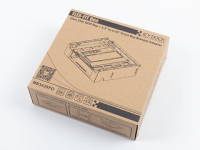
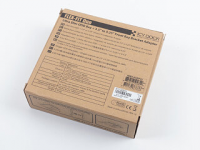
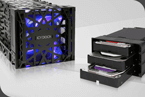
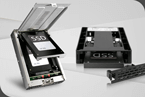
Lastly, we also received the FLEX-FIT Duo MB343SPO, which is a 5.25" frame that allows you to install any 3.5" device along with an ultra-slim optical drive bay. Just like with all other ICY DOCK products, there is an image of the device on top, with some further details on the back of the package.
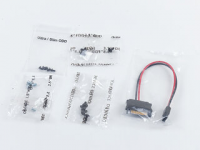
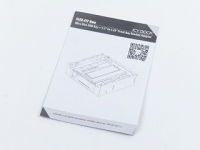
You will get all kinds of screws with the unit, including spares, so you will be able to fill it even if you have nothing but a screwdriver on you. On top of that, ICY DOCK includes a slimline to SATA power cable for the ultra-slim ODD drive, while an installation manual helps you make sense of the device.
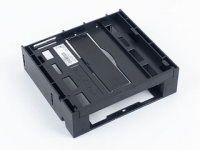
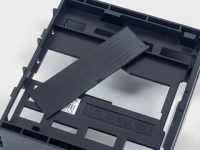
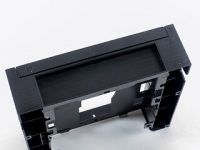
While the FLEX-FIT device is made completely out of plastic, it aims to fit quite a bit within the confines of the 5.25" drive bay with the ODD bay on top of the 3.5" one. You may also break out a plastic cover in the center of the unit that can be slid into the 3.5" opening to block it if you do not plan on using it for a while. This is nice, but requires you to actually pull out the whole 5.25 frame to remove it. A firmly attached flip-down variant would have certainly been better, but the 3.5" bay is meant to hold a permanent device, so this is OK as a simple solution.
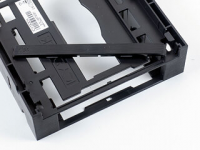
A slim plastic cover for the optical drive is clipped into place and needs to be removed, but it may be put back at any time to install such a unit.
Assembly
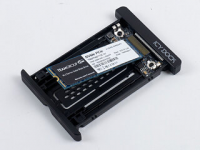
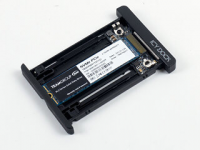
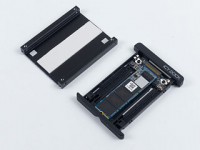
Adding an NVMe drive to the U.2 EZConvert enclosure does not require any tools either, as that is one of its unique selling points. Simply push it into the slot and press it down to where the metal clip secures it in place. To ensure proper heat dissipation, apply the thermal pad and clip the cover back into place—that's it. Not requiring any tools adds to the usability of the EZConvert MB705M2P-B in the field, under unexpected circumstances.
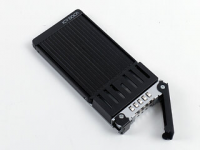
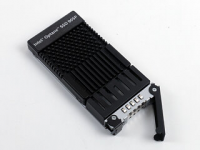
Next, filling the MB601VK-1B tray does require you to use screws as you are essentially employing 2.5" drives at this stage. While the EZConvert is quite slim, similar to a classic SSD, the Intel Optane SSD 905P is comparatively massive. The MB601VK-1B is build tall enough to allow for such drives to fit easily as well.
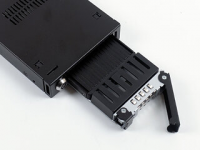
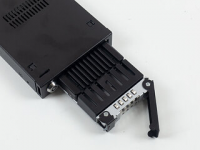
Sliding these trays into place for a test fit yields no surprises either, with the Intel Optane SSD 905P filling out the space nicely and still allowing for the whole tray to slide in all the way and lock down without issue.
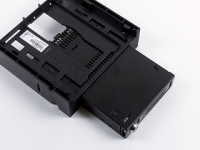
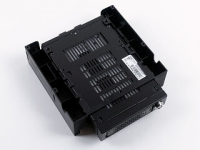
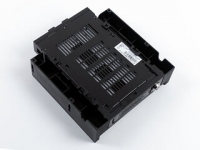
Stepping it up to the next size, the MB601VK-1B itself can be slid onto the FLEX-FIT without the need for any tools. It has two points which hook into the chassis for short and long devices, which has the front always line up flush with the rest of the 5.25" bay adapter.
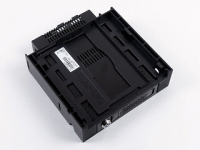
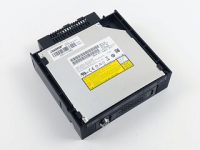
Lastly, to install the ODD drive, you need to make sure you have an ultra-slim unit, as a classic and slightly taller slimline variant won't fit. Simply slide the drive into place and secure it in the rear with some of the tiny screws that have been included.
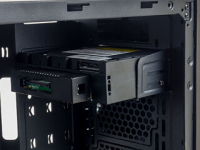
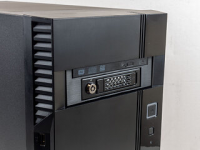
Once the whole contraption is assembled, sliding it into the Silverstone Precision PS14-E yielded no surprises. With well-placed mounting holes and the special, provided screws, you may easily secure it in place within the chassis, and it sits beautifully inside the case, ready to be tested.
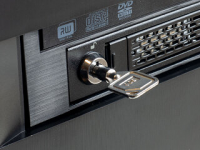
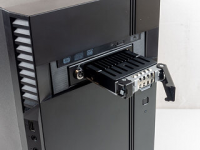
Last but not least, the lock, although simple, does the job of keeping the whole unit closed, so at least some less destructive attempts of accessing the bay will be thwarted successfully.
Performance
Consumer Grade M.2 NVMe SSD
For the consumer-grade scenario, we tested the Teamgroup MP34 NVMe SSD in three scenarios within the Silverstone PS14-E chassis. To establish a baseline, the first had it mounted directly on the motherboard, as would be the classic use case. Next, the drive was benched inside the EZConvert MB705M2P-B and treated like a 2.5" U.2 drive, subjected to the same 15 minute sustained write test. Lastly, it was installed inside the ToughArmor MB601VK-1B, and the same benchmark was run one last time.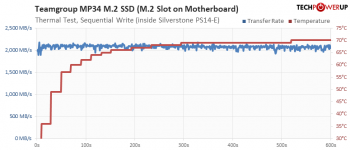
As you can see, the drive gets pretty warm here, climbing to a little over 70°C, which is not enough to make the unit throttle, although it is pretty close to that 80°C throttling mark. Thus, it is able to sustain the expected 2 GB/s performance.
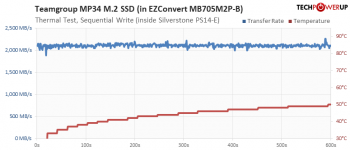
Simply throwing it into the EZConvert MB705M2P-B drastically dropped temperatures, so much so that the drive barely broke the 50°C mark, which really shows how much of a difference the heatsink makes.
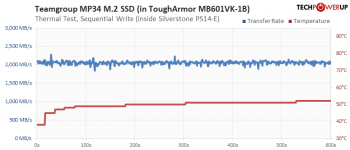
While placing it inside the ToughArmor MB601VK-1B resulted in slightly raised temperatures, these can be considered negligible overall. It is obvious that the EZConvert housing is easily able to handle the drive in general.
Enterprise Grade U.2 2.5" SSD
The Intel Optane SSD 905P is one beast of a drive. Its storage density means Intel has thrown a big heatsink on the drive already, but even so, it tends to run hotter than any classic consumer-grade drive. This means that those who want performance and durability will have to use the 905P with potent active cooling, translating into one aspect worth mentioning: overkill. While installing a $2000 enterprise-level SSD is certainly a scenario that is realistic, subjecting it to a long-term, sustained write scenario like this in a passive, enclosed environment may not be unless you are in dire need of the data within that system and have absolutely no other storage options. That said, it is nice to be able to see how far the ToughArmor MB601VK-1B can be pushed.
To establish a baseline, we installed the Intel Optane SSD 905P into the Silverstone PS14-E as if it were a normal drive. With this limited cooling setup, the drive almost does not make it 15 minutes without hitting that 80°C barrier when it starts throttling. That alone shows that the 905P needs to be actively cooled for healthy sustained use.

Now for the fun part. Sliding the Intel Optane SSD 905P into the ToughArmor MB601VK-1B and firing up the same benchmark, we see the same temperature ceiling being hit around two-thirds into the benchmark, which has the drive actively throttle to keep from heating up more. This is a great way to show how far you can push the ToughArmor MB601VK-1B in such an extreme scenario and will certainly be of interest if your area of focus is some high-risk, high-stakes industrial, enterprise, or government IT infrastructure environment.
Value and Conclusion
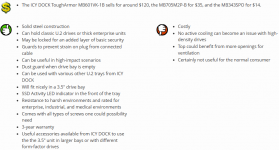
ICY DOCK products are usually geared towards enterprise, industrial, and medical environments. Thus, from a home-user perspective, most of us would already consider the choice of interface a dealbreaker as we most likely don't have any use for U.2 connectivity in our daily lives.
However, if you are working in any of the high-impact fields in the industrial, governmental, or medical segments, cost becomes secondary. You will want the device to work and do so reliably, which puts far less weight on noise or cost. I mention noise as the Intel Optane SSD 905P is a beautiful example of the thermal properties enterprise drives exhibit, which is why you cool these type of components actively inside the server rack at the heart of your infrastructure. That cooling most likely is not geared towards noise but meant to push enough air to keep things cool. As we have seen in our tests, the massive 1.5 TB Intel Optane SSD 905P is toasty even with the massive heatsink, so any real-world environment employing these drives needs some serious airflow pushed through the chassis and, thus, the ToughArmor MB601VK-1B as well. That said, slightly larger ventilation holes in the top of the enclosure would also be beneficial.
On the other hand, if you have a scenario where you need quick and portable accessibility to your data, cost doesn't matter as much as long as your investment increases chances of being able to keep or secure your data. The ToughArmor MB601VK-1B is built to last. It is made out of metal, so it can withstand far more than a plastic offering, but for us humble end-consumers, there is no reason to grab the ToughArmor MB 601VK-1B—it would be overkill in every sense.
As an example, this unit is for those in charge of the IT in a hospital, when, however unlikely, an earthquake has struck the building and there are fires everywhere, the server farm with patient records in the basement is in shambles and you are frantically popping trays and pulling drives; where anything goes to give you even the slightest of better odds. Thus, if I had a friend who might end up in such a situation, I would end up recommending this unit.



Last edited: