
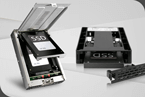

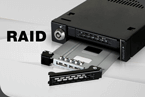
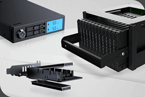
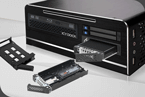


Full metal removable frames, a specialty of Icy Dock! Today on OCinside.de we take a look at a 5.25-inch Icy Dock ToughArmor MB604SPO-B removable frame, which can be equipped with a SlimLine ODD and up to four 2.5-inch SSDs as a hot-swap. We also test the Icy Dock ToughArmor MB411SPO-1B, which converts a standard SlimLine ODD slot into a 2.5-inch SATA SSD frame. In the following test, we will see whether both Icy Dock products deliver what they promise!

The Icy Dock ToughArmor MB604SPO-B is also available as MB602SPO-B (2x 2.5″) and MB606SPO-B (6x 2.5″) and has at review date a price of approx. 125 Euro.
Here you can order the Icy Dock MB411SPO-1B ToughArmor. *Ad
The Icy Dock ToughArmor MB411SPO-1B is also available as MB411SKO-1B (Lock) and MB411SPO-2B (7mm) and has at review date a price of approx. 50 Euro.
Here you can order the Icy Dock MB604SPO-B Drive Bay. *Ad

In addition to the screws for mounting in the housing, a multilingual operating manual and a foam spacer for Ultra Slim ODD CD/Blu-ray/DVD ROM drives are also included.


In addition to the operating instructions, the scope of delivery also includes a few screws, although the converter is advertised as tool-free. However, the screws are not used for mounting the frame or the M.2 SATA SSD, but only for mounting in the PC case.

Now let’s take a look at the technical data in detail.
Icy Dock ToughArmor MB411SPO-1B and ToughArmor MB604SPO-B technical specifications …


Now we come to the functions and features of the Icy Dock Drive Bay and the ToughArmor.
Icy Dock MB411SPO-1B and Icy Dock MB604SPO-B Layout, design and features …

As usual, the fine threaded holes for mounting in the server or PC housing are located on both sides of the ToughArmors.

The five 7-pin SATA data connectors and two SATA power connectors are located on the back of the MB604SPO-B together with a small switch for the 40mm 12V DC fan from Off to Low and High.

A RAID controller is not integrated, but the mainboard or the SATA controller can take care of this if required, as each SATA connection is executed individually.

The rear has a standard slimline SATA 7-pin data and 6-pin power connector. Incidentally, this is also the main difference between today’s Icy Dock MB411SPO-1B and the former Icy Dock MB411SPO-B, which was connected with a 4-pin FDD power connector. SAS drives or other (few) SATA drives that require a 12-volt power supply cannot be used, as the slimline power connector does not have a 12-volt cable due to its design.

Fortunately, even the MB411SPO-1B removable frame has an activity indicator on the front of the EZ tray. Icy Dock has reached deep into its bag of tricks for this, because the LED is not connected to the EZ tray via contacts, but is transferred from the SATA socket to the front of the EZ tray via a small fiber optic cable. This is a very advantageous solution, as it completely avoids possible loose contacts.
The workmanship is, as usual with the Icy Dock ToughArmor removable frames, very good and since both products are made almost exclusively of metal, they are also extremely stable.
Now we come to the installation …
Icy Dock MB411SPO-1B and Icy Dock MB604SPO-B Installation …
It is important to remember to attach this mounting rail to the Slimline ODD drive or to the MB411SPO-1B Slimline ODD to SSD frame shown here before inserting it into the MB604SPO-B, as it is almost impossible to remove the drive from the removable frame without this rail with eject mechanism. We initially overlooked this and promptly received the receipt, as the drive can hardly be pulled out. So it’s better to screw it on directly and save time afterwards

After removing the transport lock, the SSD or HDD is now mounted on the EZ Slide Tray using four screws.

Now you can either slide the EZ Slide Tray together with the SATA SSD into one of the four slots of the Icy Dock MB604SPO-B or even create a fifth removable frame slot using the Icy Dock MB411SPO-1B. Here we have inserted a 12.7 mm high Blu-ray combo drive at the top (and initially forgot the eject rail) and installed the MX500 SATA SSDs from Crucial underneath in the slots of the removable frame.

This is what everything looks like when installed …

Overall, installation is easy and can be completed in just a few minutes.
And now we come to the practical testing …
Icy Dock MB411SPO-1B und Icy Dock MB604SPO-B Practical testing …

The following PC setup was used as the test system:
After inserting the Crucial MX500 2TB SSD and the optical drive, both devices are immediately recognized and displayed in the Windows 11 Device Manager as if they were directly connected.

Of course, we also wanted to test whether the SATA connection really works without any losses. To do this, we first removed the Crucial MX500 2TB SSD from the tray and connected it directly to the SATA port of the ASRock Z790 Riptide WiFi motherboard. Now, in addition to a few file transfers, we ran the AS SSD benchmark and measured the following result.

We have now reinserted the SATA SSD together with the EZ tray into the ODD frame and thus into the removable frame. The measurements using AS SSD Benchmark prove beyond doubt that there are no losses as a result. As with all other tests that we subsequently carried out, the results were almost identical. AS SSD Benchmark even measured slightly higher values here, but these are of course only slight differences that vary slightly with each benchmark.

We also found it interesting that not only the performance was almost identical, but also the drive temperature remained constantly low even without an active fan. Of course, this can look a little different with other cases, but the ToughArmor removable frames basically offer extremely good heat dissipation thanks to the full metal construction, which can then be dissipated across the entire server or PC case.
Now we come to our conclusion.
Icy Dock MB411SPO-1B and Icy Dock MB604SPO-B Result and general impression …

The workmanship of the MB604SPO-B removable frame, which is made almost entirely of metal, is just as exemplary as the workmanship of the individual metal EZ trays, although this could be optimized with a screwless mounting option.
The performance of the SATA drives was not affected and even a quick hot-swap of the drives is possible if all the basic requirements are met.
Thanks to the extremely good heat dissipation via the housing, an increase in temperature is not to be expected even in passive mode and those who want to be on the safe side can set the active fan to two levels.
An ejection mechanism has also been included, which is best not to forget to screw on.
If you want to use the ODD slot in your notebook or ITX PC for a SATA SSD or HDD, the MB411SPO-1B is a loyal companion that is very stable and can be used flexibly thanks to the small all-metal EZ tray.
In both removable frames, an activity indicator has been implemented on the EZ tray front of all drive bays, which do not require contacts and are therefore relatively fail-safe.
All in all, Icy Dock has once again shown that they understand their specialty with removable frames of all kinds and underline the high quality with a 5-year limited manufacturer’s warranty.
Discuss in our forum and share experiences about the Icy Dock HDD accessories …
Here you can buy Icy Dock SSD accessories at a reasonable price. *Ad
Read on in the hardware test area with several hardware reviews …
Thanks for the support …
Thanks for the support to the manufacturer Icy Dock.The Icy Dock ToughArmor MB604SPO-B is also available as MB602SPO-B (2x 2.5″) and MB606SPO-B (6x 2.5″) and has at review date a price of approx. 125 Euro.
Here you can order the Icy Dock MB411SPO-1B ToughArmor. *Ad
The Icy Dock ToughArmor MB411SPO-1B is also available as MB411SKO-1B (Lock) and MB411SPO-2B (7mm) and has at review date a price of approx. 50 Euro.
Here you can order the Icy Dock MB604SPO-B Drive Bay. *Ad
The delivery of the Icy Dock ToughArmor MB604SPO-B …
The Icy Dock ToughArmor MB604SPO-B removable frame is packed in a sturdy cardboard box with bubble wrap to protect it during transportation. In addition to the product image, the most important functions and a QR code that leads to the manufacturer’s online product page can be found on the front of the packaging and some technical details can be seen on the back of the packaging.In addition to the screws for mounting in the housing, a multilingual operating manual and a foam spacer for Ultra Slim ODD CD/Blu-ray/DVD ROM drives are also included.
The delivery of the Icy Dock ToughArmor MB411SPO-1B …
The product packaging of the Icy Dock ToughArmor MB411SPO-1B shows a large product image on the front, the most important functions and the QR code to Icy Dock’s online product page. The back again provides information about the most important technical details and the different versions.In addition to the operating instructions, the scope of delivery also includes a few screws, although the converter is advertised as tool-free. However, the screws are not used for mounting the frame or the M.2 SATA SSD, but only for mounting in the PC case.
Now let’s take a look at the technical data in detail.
Icy Dock ToughArmor MB411SPO-1B and ToughArmor MB604SPO-B technical specifications …
The technical data of the Icy Dock ToughArmor MB604SPO-B …
| Manufacturer | Icy Dock |
| Model number | MB604SPO-B |
| Supported drives | 1x Ultra Slim or Slim ODD and 4x 2.5″ SAS/SATA HDD/SSD |
| Number of supported drives | max. 4 pieces |
| Mounting in the housing | via 1x 5.25″ slot |
| Data interface | 5 x SATA 6Gbps 7-Pin |
| Power connection | 2x SATA 15pin power connector |
| Hot-swap compatible | yes |
| LED display for activity | Ready: Glowing green Access: Flashing green |
| Material | Metal and plastic |
| Product dimensions | 41.3 x 146.0 x 154.2mm (HxWxD) |
| Product weight | 716g |
| Conformity | CE, RoHS, REACH |
| Warranty | 5-year limited manufacturer warranty |
The technical data of the ToughArmor MB411SPO-1B …
| Manufacturer | Icy Dock |
| Model number | MB411SPO-1B |
| Supported drives | 2.5″ SSD / HDD |
| Inclusion in the housing | via SlimLine ODD slot |
| Data interface | 7-Pin Slimline SATA 6Gbps |
| Power connection | 6-Pin Slimline SATA |
| Hot-swap compatible | yes |
| LED display for activity | Ready: Glowing green Access: Flashing green |
| Material | Metal, partly plastic |
| Product dimensions | 12,7 x 127,8 x 129,4 mm (HxBxT) |
| Product weight | 191g |
| Conformity | CE, RoHS, REACH |
| Warranty | 5-year limited manufacturer warranty |
Now we come to the functions and features of the Icy Dock Drive Bay and the ToughArmor.
Icy Dock MB411SPO-1B and Icy Dock MB604SPO-B Layout, design and features …
ToughArmor MB604SPO-B Layout, design and features …
Let’s start with the ToughArmor MB604SPO mounting frame. It is mounted in a PC or server housing instead of a 5.25″ drive. Whether this has to be done with or without screws depends on the respective case.Let’s start with the ToughArmor MB604SPO mounting frame. It is mounted in a PC or server housing instead of a 5.25″ drive. Whether this has to be done with or without screws depends on the respective case. The advantage of the ToughArmor MB604SPO-B is that you can easily insert and use up to four 2.5″ SSDs and/or a slim ODD CD/Blu-ray/DVD ROM drive in the removable frame during operation. There is also an activity LED for each 2.5″ drive on the front next to the respective eject button.As usual, the fine threaded holes for mounting in the server or PC housing are located on both sides of the ToughArmors.
The five 7-pin SATA data connectors and two SATA power connectors are located on the back of the MB604SPO-B together with a small switch for the 40mm 12V DC fan from Off to Low and High.
A RAID controller is not integrated, but the mainboard or the SATA controller can take care of this if required, as each SATA connection is executed individually.
ToughArmor MB411SPO-1B Layout, design and features …
The Icy Dock ToughArmor MB411SPO-1B is used to install M.2 SATA SSDs in a conventional ODD drive bay. This is particularly interesting for notebooks, but also for flat cases with SlimLine or even Ultra SlimLine DVD drives, if these are not or only rarely used and you would prefer to use the ODD bay for an SSD. The SATA installation cage is ejected by pressing the release button.The rear has a standard slimline SATA 7-pin data and 6-pin power connector. Incidentally, this is also the main difference between today’s Icy Dock MB411SPO-1B and the former Icy Dock MB411SPO-B, which was connected with a 4-pin FDD power connector. SAS drives or other (few) SATA drives that require a 12-volt power supply cannot be used, as the slimline power connector does not have a 12-volt cable due to its design.
Fortunately, even the MB411SPO-1B removable frame has an activity indicator on the front of the EZ tray. Icy Dock has reached deep into its bag of tricks for this, because the LED is not connected to the EZ tray via contacts, but is transferred from the SATA socket to the front of the EZ tray via a small fiber optic cable. This is a very advantageous solution, as it completely avoids possible loose contacts.
The workmanship is, as usual with the Icy Dock ToughArmor removable frames, very good and since both products are made almost exclusively of metal, they are also extremely stable.
Now we come to the installation …
Icy Dock MB411SPO-1B and Icy Dock MB604SPO-B Installation …
Installation …
Installing the removable rack in the PC housing is very simple. You slide the Icy Dock MB604SPO-B Drive Bay into the case or, as in our case, into a test bench, screw it tight with up to four fine-thread screws, which are included in the scope of delivery, or lock it in place with the quick-release fasteners of the respective case and connect the 6 cables for data (4x) and power (2x). Depending on the air circulation in the enclosure and the choice of SSD, you can optionally increase or stop the fan and that’s it.It is important to remember to attach this mounting rail to the Slimline ODD drive or to the MB411SPO-1B Slimline ODD to SSD frame shown here before inserting it into the MB604SPO-B, as it is almost impossible to remove the drive from the removable frame without this rail with eject mechanism. We initially overlooked this and promptly received the receipt, as the drive can hardly be pulled out. So it’s better to screw it on directly and save time afterwards
After removing the transport lock, the SSD or HDD is now mounted on the EZ Slide Tray using four screws.
Now you can either slide the EZ Slide Tray together with the SATA SSD into one of the four slots of the Icy Dock MB604SPO-B or even create a fifth removable frame slot using the Icy Dock MB411SPO-1B. Here we have inserted a 12.7 mm high Blu-ray combo drive at the top (and initially forgot the eject rail) and installed the MX500 SATA SSDs from Crucial underneath in the slots of the removable frame.
This is what everything looks like when installed …
Overall, installation is easy and can be completed in just a few minutes.
And now we come to the practical testing …
Icy Dock MB411SPO-1B und Icy Dock MB604SPO-B Practical testing …
Practical testing …
The following PC setup was used as the test system:
| Intel Mainboard | ASRock Z790 Riptide WiFi |
| CPU | Intel Core i9-14900K |
| Cooler | Arctic Liquid Freezer II 420 |
| Thermal paste | Arctic MX-6 |
| Graphics card | ASRock Radeon RX 5700 Challenger D 8G OC PCIe 4.0 Grafikkarte |
| SSD | Crucial MX500 2TB SSD |
| Optical drive | Sony Optiarc BC-5500S 4X Blu-ray Combo, BD-ROM, DVD-ROM with 12.7 mm height |
| PSU | Cooler Master Silent Pro M 600W |
| Case | Cooler Master Testbench v1.0 |
| Operating system | Windows 11 Pro 64 Bit |
After inserting the Crucial MX500 2TB SSD and the optical drive, both devices are immediately recognized and displayed in the Windows 11 Device Manager as if they were directly connected.
Of course, we also wanted to test whether the SATA connection really works without any losses. To do this, we first removed the Crucial MX500 2TB SSD from the tray and connected it directly to the SATA port of the ASRock Z790 Riptide WiFi motherboard. Now, in addition to a few file transfers, we ran the AS SSD benchmark and measured the following result.
We have now reinserted the SATA SSD together with the EZ tray into the ODD frame and thus into the removable frame. The measurements using AS SSD Benchmark prove beyond doubt that there are no losses as a result. As with all other tests that we subsequently carried out, the results were almost identical. AS SSD Benchmark even measured slightly higher values here, but these are of course only slight differences that vary slightly with each benchmark.
We also found it interesting that not only the performance was almost identical, but also the drive temperature remained constantly low even without an active fan. Of course, this can look a little different with other cases, but the ToughArmor removable frames basically offer extremely good heat dissipation thanks to the full metal construction, which can then be dissipated across the entire server or PC case.
Now we come to our conclusion.
Icy Dock MB411SPO-1B and Icy Dock MB604SPO-B Result and general impression …
Result and general impression …
Icy Dock ToughArmor MB604SPO-B test result …
The Icy Dock MB604SPO-B ToughArmor is a very good choice if you want to accommodate several 2.5″ drives and even a slimline ODD drive in the smallest possible space in a 5.25″ bay!The workmanship of the MB604SPO-B removable frame, which is made almost entirely of metal, is just as exemplary as the workmanship of the individual metal EZ trays, although this could be optimized with a screwless mounting option.
The performance of the SATA drives was not affected and even a quick hot-swap of the drives is possible if all the basic requirements are met.
Thanks to the extremely good heat dissipation via the housing, an increase in temperature is not to be expected even in passive mode and those who want to be on the safe side can set the active fan to two levels.
An ejection mechanism has also been included, which is best not to forget to screw on.
Icy Dock ToughArmor MB411SPO-1B test result …
The Icy Dock MB411SPO-1B ToughArmor removable frame also convinced us!If you want to use the ODD slot in your notebook or ITX PC for a SATA SSD or HDD, the MB411SPO-1B is a loyal companion that is very stable and can be used flexibly thanks to the small all-metal EZ tray.
In both removable frames, an activity indicator has been implemented on the EZ tray front of all drive bays, which do not require contacts and are therefore relatively fail-safe.
All in all, Icy Dock has once again shown that they understand their specialty with removable frames of all kinds and underline the high quality with a 5-year limited manufacturer’s warranty.
Discuss in our forum and share experiences about the Icy Dock HDD accessories …
Here you can buy Icy Dock SSD accessories at a reasonable price. *Ad
Read on in the hardware test area with several hardware reviews …


Last edited: