


ICY DOCK ToughArmor MB840M2P B In ASUS AMD EPYC NVIDIA GPU Compute 2U Server 2
Today we are looking at the ICY DOCK ToughArmor MB840M2P-B, which converts a PCIe x4 slot to a rear-accessible slot to house a NVMe M.2 SSD. This is a point solution product at its very essence and will either solve a very specific problem or have no appeal at all for end users. For those who it will appeal to, there is a good chance seeing this unit in action will make perfect sense. In our review, we are going to take a look at the unit, then discuss what we found when testing it.
ICY DOCK ToughArmor MB840M2P-B Overview
The MB840M2P-B is a fairly simple device with a basic, but functional design. The card itself is a low-profile PCIe x4 card. Having that low-profile design allows it to be used in a number of servers as we will see later in this review. Icy Dock includes both full-height and low-profile brackets that can be changed quickly via two retaining screws.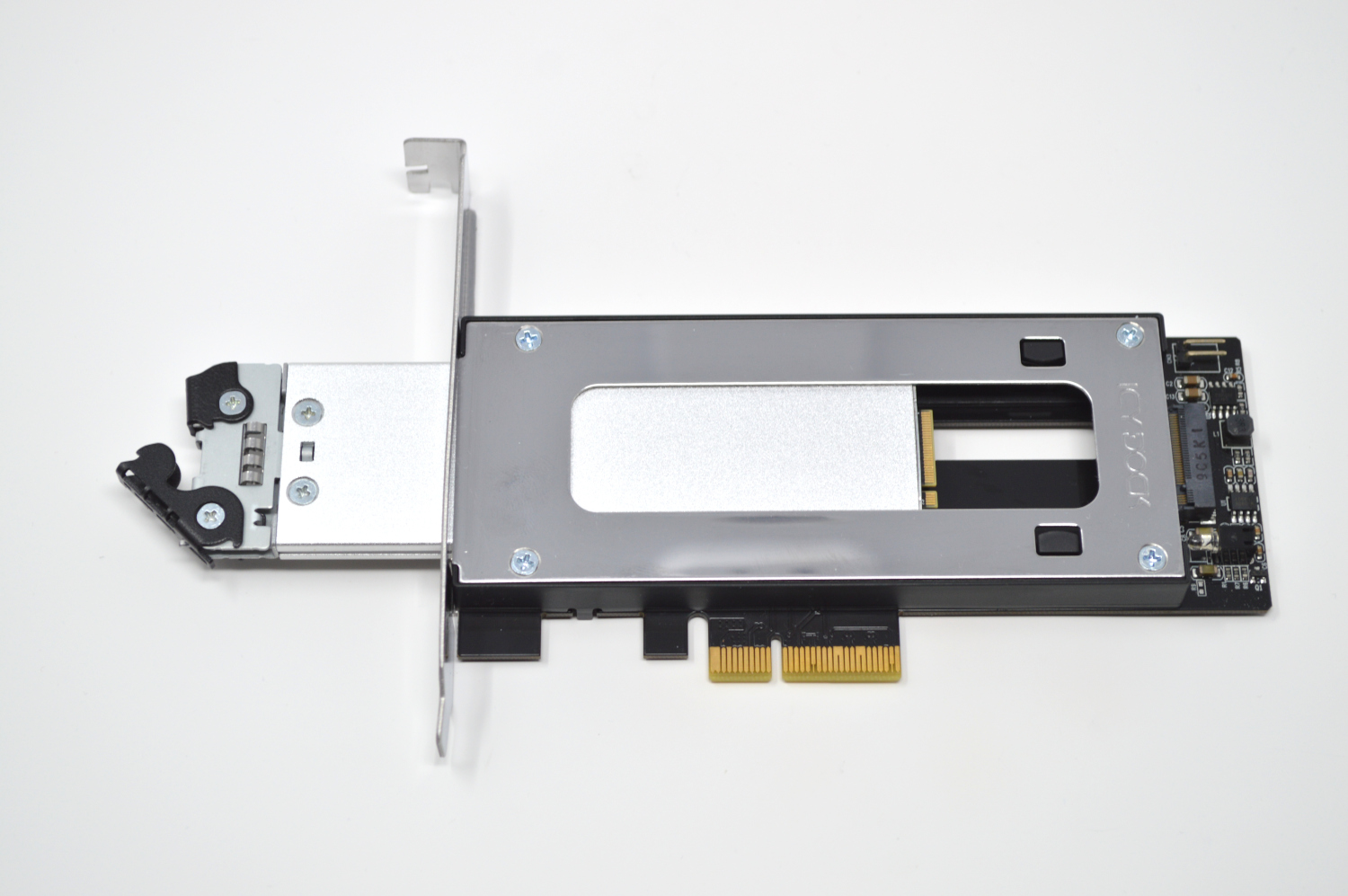
Icy Dock MB840M2P B Card Front
The MB840M2P-B is mostly metal, with a sliding retention mechanism for holding a M.2 NVMe SSD of any size between 2230 (30mm) and 22110 (110mm.) It features a PCIe x4 connector at the card edge and reroutes those traces to the horizontally mounted M.2 slot at the end of the caddy track. Other onboard components are a drive activity LED, and a header for an external activity LED.
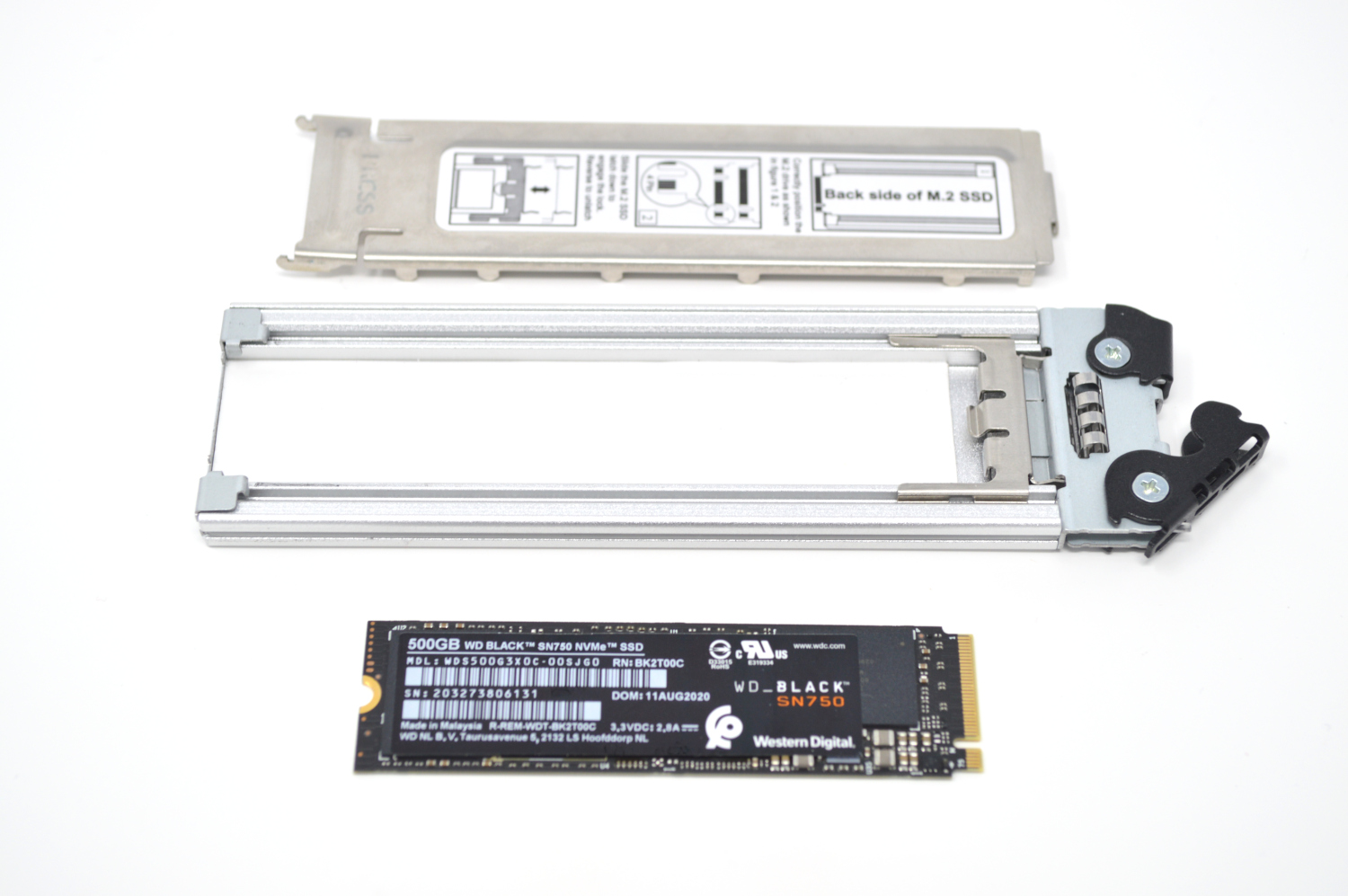
Icy Dock MB840M2P B Caddy Disassembled
The caddy is also a sturdy, metal design, and is entirely tool-less. The SSD of your choosing simply fits into the caddy. After that, one slides the metal retention clip into place, and then the cover installed.
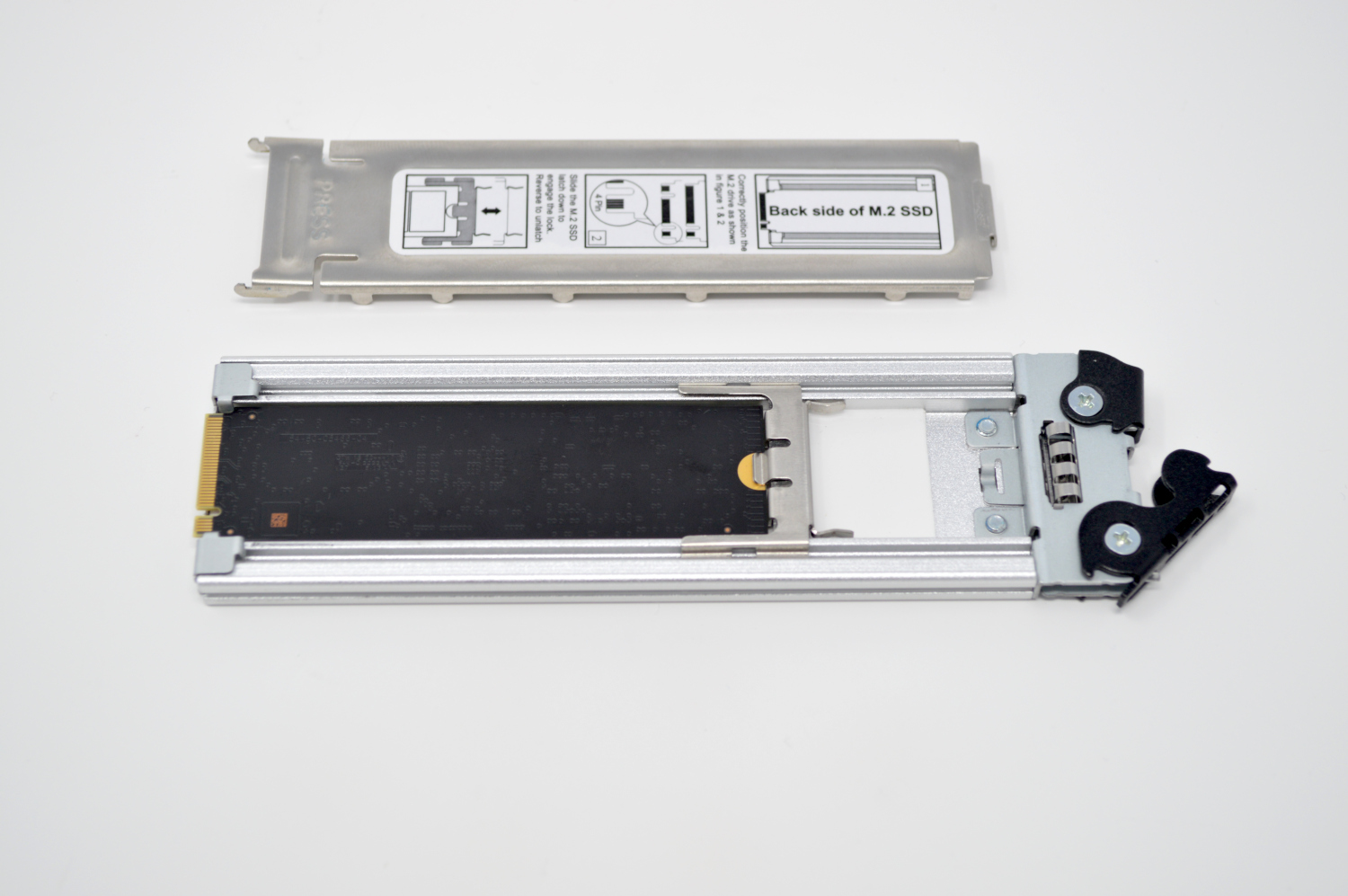
Icy Dock MB840M2P B Drive In Caddy
Once the drive is inserted and securely fastened down, the caddy slides into the rear of the PCIe card and locks into place with a latch, similar to most hot-swap hard drive retention systems. Here is the unit in an open frame chassis so you can more clearly see what this looks like when protruding.
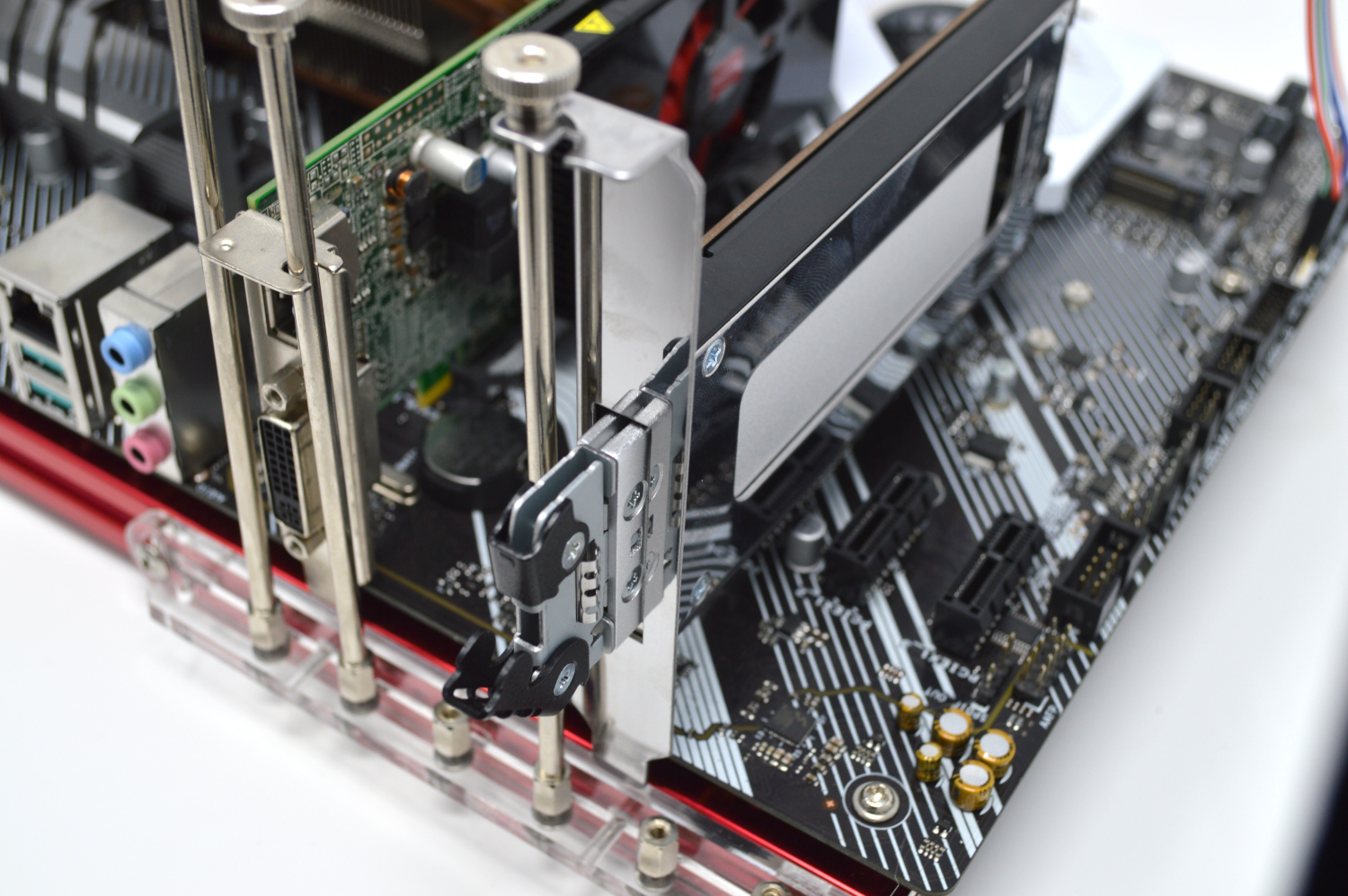
Icy Dock MB840M2P B In Bench
Once the drive is inserted, the job of the MB840M2P-B is mostly done, and it operates essentially like any other M.2-to-PCIe-slot adapter.
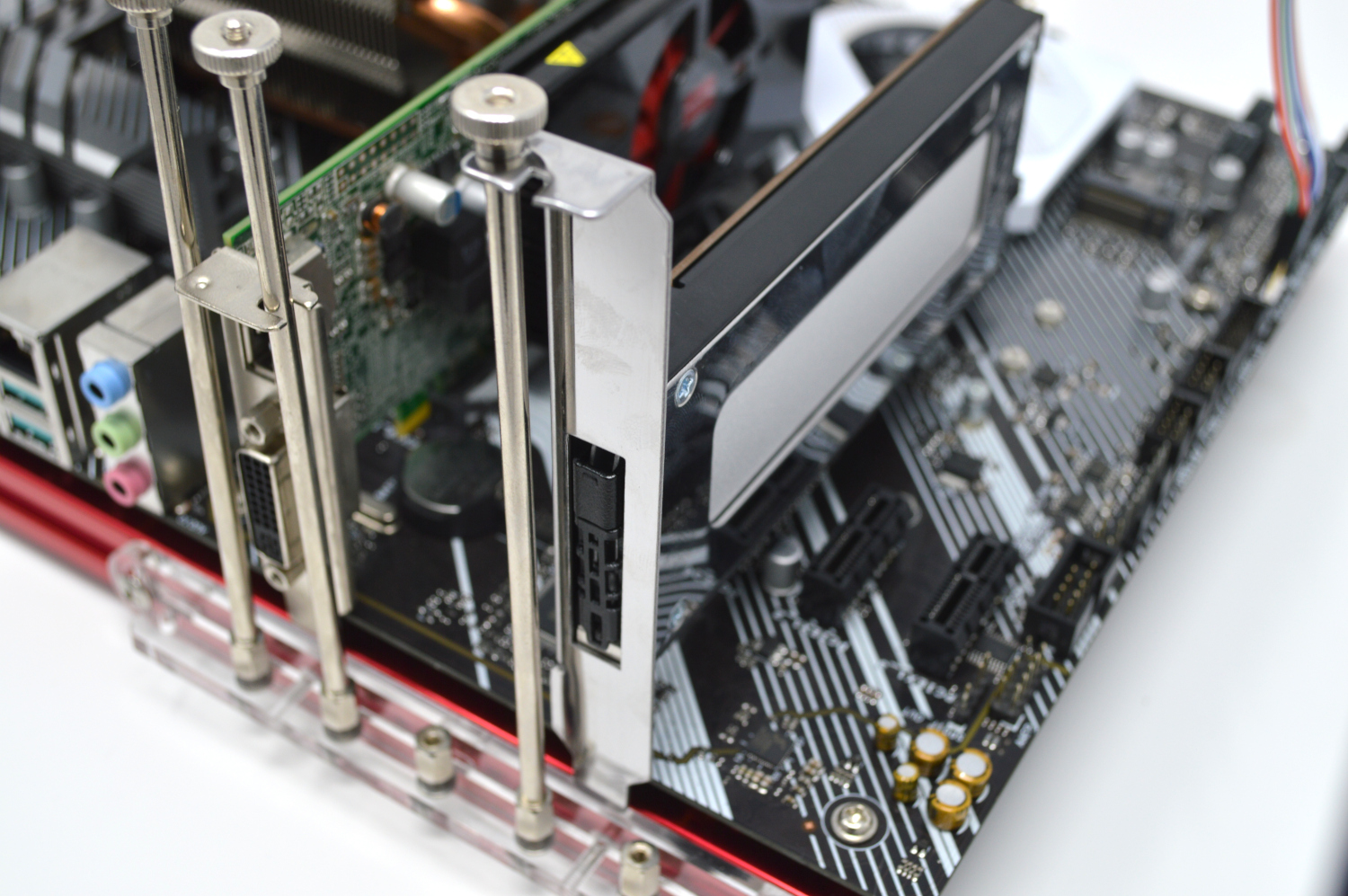
Icy Dock MB840M2P B In Bench Inserted
Putting a server around this, here is the unit in a larger 4U server with the full-height bracket.
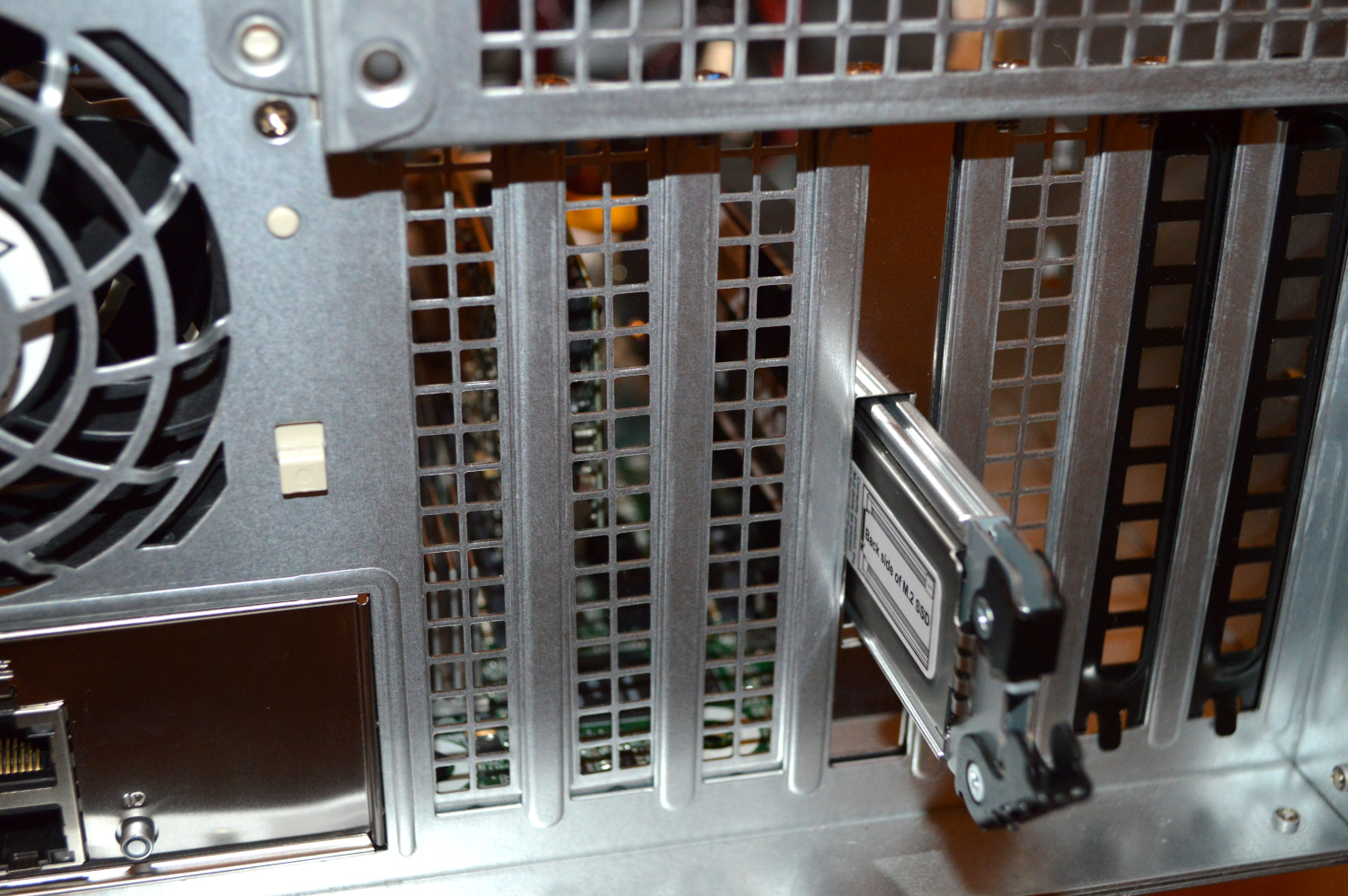
Icy Dock MB840M2P B In Server
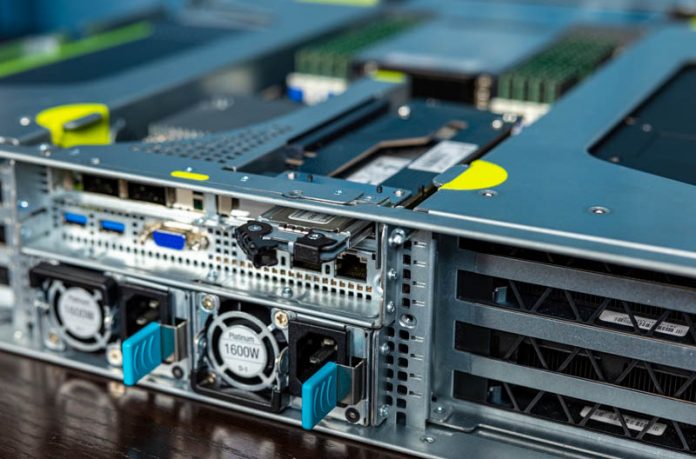
We also installed the unit into the ASUS ESC4000A-E10 2U AMD EPYC GPU server we reviewed earlier this week. That server has 4x NVIDIA Quadro RTX 6000 cards designed specifically for server applications. It also has a 64-core AMD EPYC 7742 CPU and 256GB of RAM and 4x 3.84TB Samsung PM1733 U.2 NVMe SSDs.
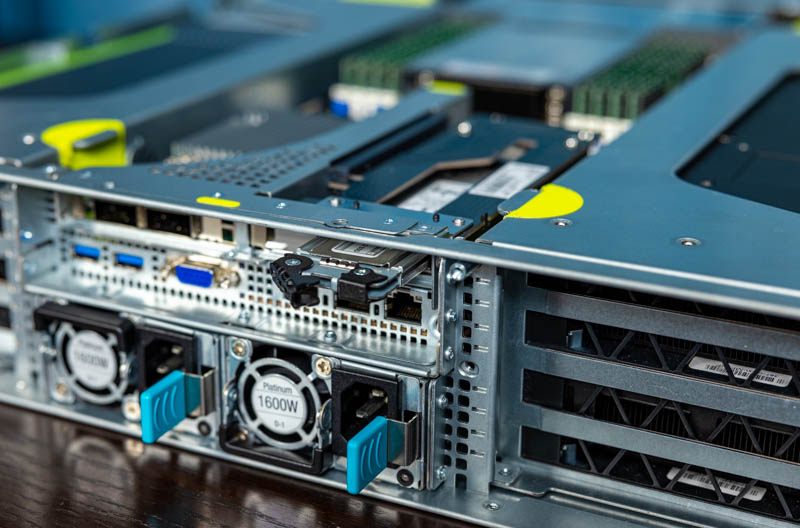
ICY DOCK ToughArmor MB840M2P B In ASUS AMD EPYC NVIDIA GPU Compute 2U Server 2
The server itself has a single M.2 slot closer to the fan partition. For those that want a second M.2 SSD, because of the GPUs, there is limited space in the server. Since we only have two low-profile slots, and one is taken up by the Supermicro AOC-S100GC-i2C 100GbE Intel 800 Series NIC, we have a single space to add an additional M.2 card.
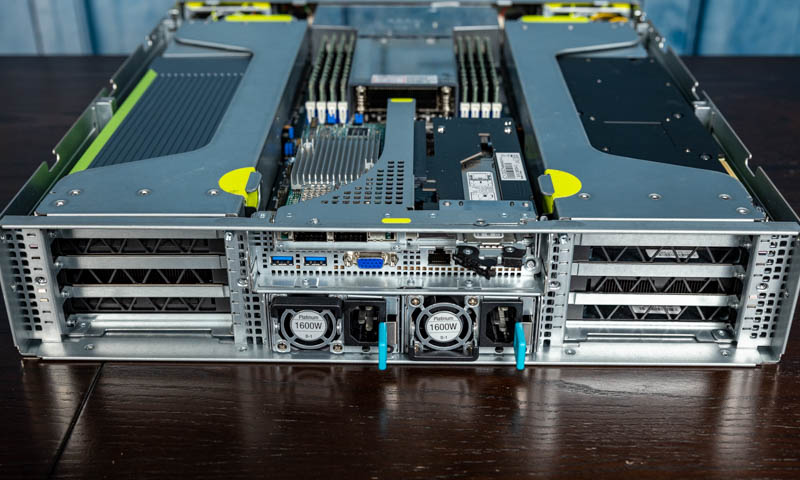
ICY DOCK ToughArmor MB840M2P B In ASUS AMD EPYC NVIDIA GPU Compute 2U Server 1
Using the ToughArmor MB840M2P-B, we are able to not only install a second M.2 SSD, but it is now one that is serviceable without opening the chassis. The motherboard M.2 SSD is located inside the chassis and under the airflow guide which means there is some disassembly required to get to it. Again, some may use this PCIe Gen4 x16 low profile slot for a high-speed NIC or a AIC PCIe Gen4 SSD, but if you want to keep the front bays available for data drives and also want a serviceable boot device, this ICY DOCK solution fits that need.
Next, we are going to discuss what we found when testing the unit.
Hot-swap support?
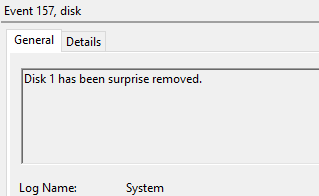
The MB840M2P-B does not seem to support hot-swap/ hot-plug functionality. Instead, it is providing a convenient mechanism for plugging a SSD into a PCIe/M.2 slot without requiring a screwdriver or opening up the chassis. The system still needs to be powered down for that to happen. Hot-swap functionality is not mentioned on the main MB840M2P-B product page, but hot-plug functionality is mentioned on the FAQ page. Naturally, we had to test and find out for ourselves.With my test bench booted up from a different drive, and a NVMe SSD installed in the dock with some test data loaded on it, I removed the drive from the dock.
Icy Dock MB840M2P B Hot Remove
Windows was surprised, and largely frozen until a hardware rescan was run, but the system did not crash which was a bit surprising to me. The drive was then reinserted. Unlike when the drive was removed, the system did not react to the drive being plugged back in, and it did not appear when running a hardware rescan as suggested in the FAQ. Upon rebooting, the drive was back and online.
Context is important here. The M.2 spec, and M.2 drives are not designed with hot-swap support in mind, so this is expected behavior. We still wanted to test and confirm.
Specs and PCIe 4.0 Support?
ICY DOCK provides a product spec sheet for the ToughArmor MB840M2P-B which you can see here: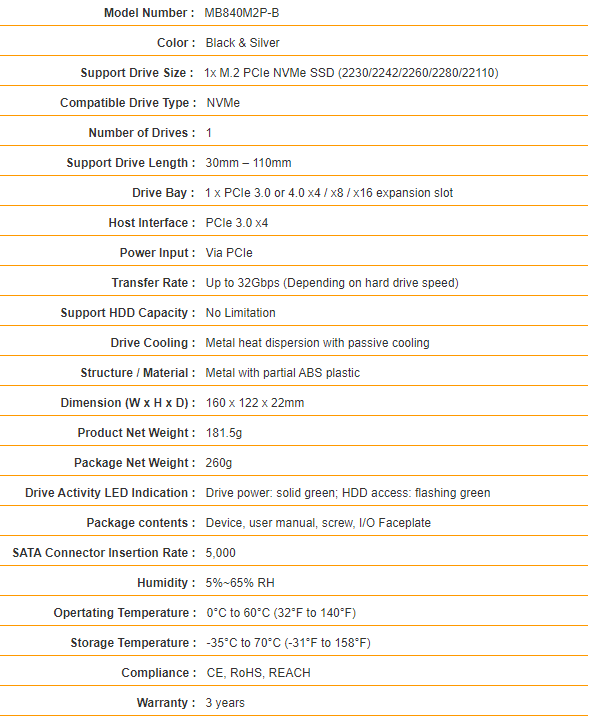
Icy Dock MB840M2P B Specs
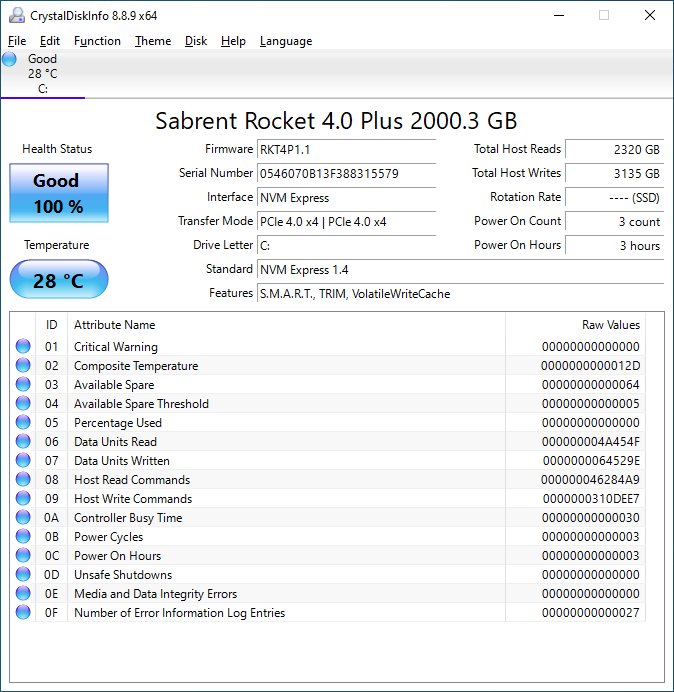
Officially, the ToughArmor MB840M2P-B is listed as PCIe 3.0 x4 compatible. Since I am curious by nature, I of course immediately wanted to know if a PCIe 4.0 SSD would work.
Icy Dock MB840M2P B CDI In Dock
Performance
Since the ICY DOCK ToughArmor MB840M2P-B is mostly functioning as a physical interface converter with no significant logic onboard, we would not expect it to have any impact on the actual performance, but that is something we wanted to test. I ran a small subset of our performance tests with a drive installed into the dock and compared it to that same drive installed in the M2_2 slot on my ASUS X570-P Prime that we use for M.2 SSD testing.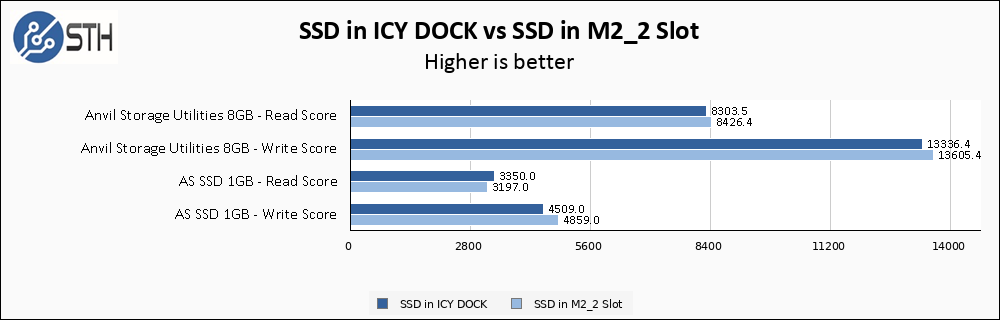
Icy Dock MB840M2P B Performance Comparison
Final Words
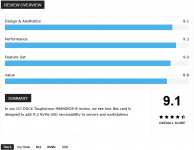
The ICY DOCK ToughArmor MB840M2P-B is a relatively simple product, with good build quality, that does exactly what it says it does on the box. We can envision a couple scenarios where the ability to quickly insert and remove a NVMe M.2 SSD could be very useful, such as boot or cache drives on servers or appliances that are generally not easily serviceable in today’s servers.
ICY DOCK ToughArmor MB840M2P B In ASUS AMD EPYC NVIDIA GPU Compute 2U Server 2
One thing is for certain, the MB840M2P-B is a product with a very specific use case. Overall, the MB840M2P-B gives M.2 drives the ability to be serviced from outside the chassis without needing to go inside a system to the motherboard or internal expansion slots. If that capability is what you are looking for, this is a well-built unit.


Last edited: