

Concept Product CP128-4 Bay 2.5" SATA/SAS/NVMe (U.2/U.3) SSD/HDD UBM Mobile Rack Enclosure for 5.25” Drive Bay | ICY DOCK Community

Concept Product CP128-4 Bay 2.5" SATA/SAS/NVMe (U.2/U.3) SSD/HDD UBM Mobile Rack Enclosure for 5.25” Drive Bay

icydock_admin

Administrator
Staff member
Jan 21, 2024
172
21
18
Concept Product CP128
4 Bay 2.5" SATA/SAS/NVMe (U.2/U.3) SSD/HDD UBM Mobile Rack Enclosure for 5.25” Drive Bay

CP128_1280X853_01.webp


👉 Product Page: https://global.icydock.com/product_345.html 👈
Any product suggestion or new idea will be highly appreciated!
​


Key Features​

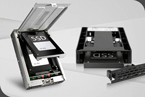
  • World’s first Universal Backplane Management (UBM) drive mobile rack enclosure
  • Supports 4x 2.5" SAS/SATA/NVMe (U.2/U.3) SSD/HDD
  • Supports SAS 4.0 (up to 22.5Gbps), SATA 3.0 (up to 6Gbps), and NVMe Gen 4 (up to 64Gbps)
  • Installs into any standard external 5.25" optical drive bay
  • Uses 2 x SlimSAS 8i (for NVMe) & 1x SlimSAS 4i (for SAS/SATA) rear connectors
  • Ruggedized full-metal enclosure meeting flammability requirements
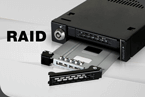
  • Removable drive tray system with hot-plug support for easy maintenance
  • Active Power Technology (APT) - only powers up if a drive is installed in the drive bay
  • Dual high-performance 40x20mm cooling fans with three fan speed settings (high, low, off)
  • The eagle-hook tray system securely holds the drive tray inside the enclosure
  • EMI Grounding – protects SSDs from electrical damage

CP128_banner.webp

CP128_V3-in_525_bay.webp

CP125_m2_installation_steps.webp

CP128_USM_2.webp

CP128_removable_drive_GIF.gif

CP128_Cooling.webp

CP128_full_metal.webp


​
 
The mixed SATA/SAS/NVMe support is interesting. Does the UBM backplane handle drive detection and power per bay independently, or does the host need to know which bays are populated with which interface? Also, if all four bays are mixed between SATA and NVMe, are both SlimSAS 8i links and the single SlimSAS 4i link always required, or can one be left disconnected depending on the configuration?
 
The mixed SATA/SAS/NVMe support is interesting. Does the UBM backplane handle drive detection and power per bay independently, or does the host need to know which bays are populated with which interface? Also, if all four bays are mixed between SATA and NVMe, are both SlimSAS 8i links and the single SlimSAS 4i link always required, or can one be left disconnected depending on the configuration?
From what I can see, the SlimSAS 8i connector carries only the NVMe signal, while the SlimSAS 4i connector carries the SAS/SATA signal. So, logically, if you're using only NVMe or only SAS/SATA, you should be able to use just one data connector; if you're using a mix of NVMe, SAS, and SATA, I'm 100% sure you'll need to connect both.

As for the UBM standard, as far as I know, it should instantly identify the type of drive inserted and, in theory, balance power limits and port routing to the host via the UBM controller. I'm not sure if it manages each bay individually, but logically speaking, I'd say it does.