

Hi,
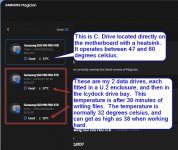
I've got a Asus Proart Z790 Creator motherboard computer with 3 of 4 TB Samsung 990 pro M.2 NVME drives. When installed directly in the motherboard, in different M.2 slots, I'm getting well over 7000MB/s sequential read on all drives.
One of the drives will remain on the motherboard as my O/S drive, but the other 2 need to be easily removable. With only M.2 slots on the motherboard, I'd done a lot of research trying to figure out how to make this possible, when I came across a video from Level1Tech on Icydock products.
The Good news
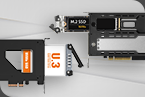
Long story short, I experimented putting the samsung drive into a M.2 to U.2 enclosure. The enclosure was then plugged directly into a cable with a matching socket and power on one side and a 4i Occulink plug on the other end. The occulink end was then plugged into a occulink socket on a M.2 riser board which I put into the M.2 slot on the motherboard. To my great joy the drives still performed as expected with sequential read speeds well over 7000MB/s. This proved occulink was a workable solution, and I could then progress to the next step of making the drives easily removable.
The Bad news and the issues
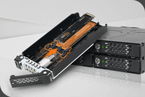
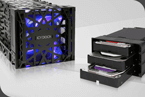
I looked around for all the U.2 removable drive bays, and finally settled on the Icydock MB699VP-B V3, which came with occulink sockets on the back and 2 x 40mm cooling fans. On first impress the drive bay looked very well built and was quite heavy. I ordered 2 occulink cables with occulink plugs on both ends and conected up the drive bay. On starting up the machine, 2 things became very evident:
1. Sequential reads are about 4000MB/s, far slower than I expected and needed
2. The fans on the the back of the drive bay scream like a turbine.
This is a machine built for creator work, and the 2 key requirements are that it have fast disk IO, and that it be very quite so it can be used in a studio.
The noise issue I can solve by installing some new Noctua silent fans, but considering the price of the drive bay, I'm incredibly disappointed that I even have to.
My main concern is the performance. How can I get the drive back up to full PCIe 4.0 speeds? Why am I not getting 7000MB/s when using the U.2 drive in the Icydock drive bay, but I do when connected directly to a cable which is connected to the M.2 riser board?
I would appreciate any assistance.
Regards,
Sijmen.
I've got a Asus Proart Z790 Creator motherboard computer with 3 of 4 TB Samsung 990 pro M.2 NVME drives. When installed directly in the motherboard, in different M.2 slots, I'm getting well over 7000MB/s sequential read on all drives.
One of the drives will remain on the motherboard as my O/S drive, but the other 2 need to be easily removable. With only M.2 slots on the motherboard, I'd done a lot of research trying to figure out how to make this possible, when I came across a video from Level1Tech on Icydock products.
The Good news
Long story short, I experimented putting the samsung drive into a M.2 to U.2 enclosure. The enclosure was then plugged directly into a cable with a matching socket and power on one side and a 4i Occulink plug on the other end. The occulink end was then plugged into a occulink socket on a M.2 riser board which I put into the M.2 slot on the motherboard. To my great joy the drives still performed as expected with sequential read speeds well over 7000MB/s. This proved occulink was a workable solution, and I could then progress to the next step of making the drives easily removable.
The Bad news and the issues
I looked around for all the U.2 removable drive bays, and finally settled on the Icydock MB699VP-B V3, which came with occulink sockets on the back and 2 x 40mm cooling fans. On first impress the drive bay looked very well built and was quite heavy. I ordered 2 occulink cables with occulink plugs on both ends and conected up the drive bay. On starting up the machine, 2 things became very evident:
1. Sequential reads are about 4000MB/s, far slower than I expected and needed
2. The fans on the the back of the drive bay scream like a turbine.
This is a machine built for creator work, and the 2 key requirements are that it have fast disk IO, and that it be very quite so it can be used in a studio.
The noise issue I can solve by installing some new Noctua silent fans, but considering the price of the drive bay, I'm incredibly disappointed that I even have to.
My main concern is the performance. How can I get the drive back up to full PCIe 4.0 speeds? Why am I not getting 7000MB/s when using the U.2 drive in the Icydock drive bay, but I do when connected directly to a cable which is connected to the M.2 riser board?
I would appreciate any assistance.
Regards,
Sijmen.
Last edited: