
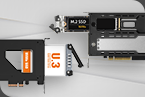
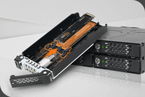
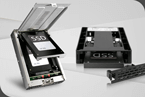
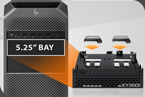
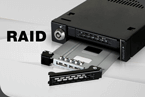


Practical Icy Dock U.2/U.3 removable frame as PCIe card! With the U.2/U.3 NVMe PCIe removable frame from the ToughArmor series, Icy Dock impressively demonstrates how easy it can be to replace a U.2 or U.3 SSD. Among others, we test a Crucial T700 1TB M.2 PCIe 5.0 NVMe SSD with a special Icy Dock EZConvert adapter on an ASRock Z790 Riptide WiFi motherboard in this PCIe card and want to see how well it works in practice. We also give a few tips on how to optimize the connectivity.

The Icy Dock ToughArmor MB111VP-B currently has a price of approx. 140 Euro (01/2024).
Here you can order the Icy Dock ToughArmor MB111VP-B card. *Ad

The product description can be found on the back in various languages.

After opening the box, you immediately see the instructions supplied and the securely packaged product underneath. In addition to the PCIe card with the removable frame and the instructions, 5 screws are also included for installation.

We also use an Icy Dock EZConvert MB705M2P-B M.2 to U.2 adapter in the test, which supports a connection of up to 64Gbps.

Now we come to the technical data.
Icy Dock MB111VP-B U.2/U.3 NVMe PCIe Card technical data …

Icy Dock MB111VP-B U.2/U.3 NVMe PCIe card Layout, design and features …
The PCIe 3.0 x4 card can of course also be used in a PCIe 4.0 x4 slot or higher, but will not benefit from the higher speed.

In the rear area there are also status LEDs and a 2-pin connection if the status LED is to be connected externally.

Here you can see the PCIe expansion card made of metal with a black look.

If you looked closely, you could immediately see the U.2 NVMe removable frame, which is ejected by pressing the small lever and then pulled out of the PCIe card to install the U.2 or U.3 SSD.

Overall, the workmanship is very high quality and makes a very stable impression.
Now we come to the installation of the removable frame.
Icy Dock MB111VP-B U.2/U.3 NVMe PCIe card Installation …

First, we fit our M.2 to U.2 adapter by first removing the foil from the thermal pad of the MB705M2P-B EZConvert cover, then inserting the desired M.2 SSD card into the adapter. Here you can see the EZConvert again without the lid with the M.2 SSD inserted.

The small removable frame is now ejected from the MB111VP-B card by pressing lightly on the lever and pulling it out completely.

Icy Dock does not offer a solution for mounting the 2.5″ drive without screws, but mounting the U.2 or U.3 SSD in the frame is done very quickly using the four screws supplied.
Now the frame with the U.2/U.3 SSD is pushed back into the MB111VP-B U.3 PCIe card.

At the very end, the frame is fixed in the PCIe card with a slight push on the lever.

That’s it, now the finished Icy Dock MB111VP-B PCIe card can be inserted into a free PCIe 4.0 x4 slot as usual.

Now we want to see whether the ToughArmor removable frame can also convince in practical testing.
Icy Dock MB111VP-B U.2/U.3 NVMe PCIe card practical testing …
CrystalDiskInfo
AS SSD Benchmark
CrystalDiskMark
SiSoftware Sandra Benchmark
M.2, U.2, U.3 SSD performance
SSD heat development

After the uncomplicated installation, we now check whether the MB111VP-B achieves the specified SSD speed. To do this, we first selected the AS SSD benchmark and then the CrystalDiskMark and a SiSoftware Sandra benchmark (download).
The following PC setup was used as the test system:
We have inserted the NVMe SSD with a U.2 adapter directly into the Icy Dock ToughArmor MB111VP-B PCIe removable frame, because measurements of the NMVe SSD directly in the M.2 slot of the motherboard would not be sufficient for a comparison, since we are using a PCIe 5.0 SSD in a PCIe 4.0 slot card and this would of course be faster in a PCIe 5.0 slot.

It can also happen that the PCIe 4.0 expansion card with a PCIe 5.0 NVMe SSD is not recognized correctly if it is inserted into a PCIe 5.0 slot. This can be solved by adjusting the PCIe slot connection in the UEFI by changing the respective slot from Gen5 to Gen4.

The U.2/U.3 or M.2 SSD should then be correctly recognized and displayed via an adapter, both in the BIOS or UEFI, as well as in the Windows Device Manager.


Here you can see the values in IOPS (Input/Output Per Second) again.


Overall, the MB111VP-B U.2/U.3 NVMe PCIe 4.0 x4 card achieves the promised speed even with the EZConvert MB705M2P-B M.2 to U.2 adapter.
Here is a small listing of the PCIe speeds:
PCIe 2.0 x1 500 MB/s
PCIe 2.0 x2 1000 MB/s
PCIe 2.0 x4 2000 MB/s
PCIe 2.0 x8 4000 MB/s
PCIe 2.0 x16 8000 MB/s
PCIe 3.0 x1 985 MB/s
PCIe 3.0 x2 1969 MB/s
PCIe 3.0 x4 3938 MB/s (U.2)
PCIe 3.0 x8 7877 MB/s
PCIe 3.0 x16 15754 MB/s
PCIe 4.0 x1 1969 MB/s
PCIe 4.0 x2 3938 MB/s
PCIe 4.0 x4 7877 MB/s (U.3)
PCIe 4.0 x8 15754 MB/s
PCIe 4.0 x16 31508 MB/s
PCIe 5.0 x1 3938 MB/s
PCIe 5.0 x2 7877 MB/s
PCIe 5.0 x4 15754 MB/s
PCIe 5.0 x8 31508 MB/s
PCIe 5.0 x16 63016 MB/s
The PCIe 6.0 x1 standard starts at 7877 MB/s and the PCIe 7.0 x1 standard starts at 15754 MB/s (all figures are maximum values without protocol overhead).
Before we come to the result and general impression, we would like to check one more point and that is the SSD temperature in the removable frame.

Icy Dock MB111VP-B U.2/U.3 NVMe PCIe card Result and general impression …

The Icy Dock ToughArmor MB111VP-B U.2/U.3 NVMe PCIe removable frame was able to show how good it is in the test!
The performance of the PCIe 4.0 x4 card achieves the promised performance and is very easy to use.
The U.2/U.3 SSD temperature was optimally dissipated in our test setup with the optionally available M.2 to U.2/U.3 EZConvert adapter.
The workmanship of the expansion card and the circuit board made an excellent impression and were convincing in the review.
With a price of approx. 140 Euro, the Icy Dock ToughArmor MB111VP-B is certainly not cheap, but it is convincing across the board and is looking for its equal.
Discuss in our forum and share experiences about the MB111VP-B …
Here you can order the Icy Dock MB111VP-B at a reasonable price. *Ad
Read on in the hardware test area with several hardware reviews …
Thanks for the support …
Thanks for the support to the manufacturer Icy Dock/Cremax Tech LTD.The Icy Dock ToughArmor MB111VP-B currently has a price of approx. 140 Euro (01/2024).
Here you can order the Icy Dock ToughArmor MB111VP-B card. *Ad
The delivery of the Icy Dock ToughArmor MB111VP-B frame …
Icy Dock delivers the ToughArmor in a small, environmentally friendly cardboard box. Below the product image you can already see a few of the most important technical features.The product description can be found on the back in various languages.
After opening the box, you immediately see the instructions supplied and the securely packaged product underneath. In addition to the PCIe card with the removable frame and the instructions, 5 screws are also included for installation.
We also use an Icy Dock EZConvert MB705M2P-B M.2 to U.2 adapter in the test, which supports a connection of up to 64Gbps.
Now we come to the technical data.
Icy Dock MB111VP-B U.2/U.3 NVMe PCIe Card technical data …
The technical data …
| Manufacturer | Icy Dock |
| Description | MB111VP-B |
| Dimensions | 159.7 x 121 x 21.6mm (WxHxD) |
| Color | Black |
| Weight | 199.7g |
| Host Interface | PCIe 4.0 x4 |
| Host Connection incl. power supply | 1 x PCIe 4.0 x4 expansion slot |
| Transfer rate | Up to 64Gbps (depending on drive speed) |
| Compatible drive types | U.2/U.3 |
| Supported capacity | No restriction |
| Supported drive size | 2.5-inch |
| Status-LED | Ready for operation: Green shining SSD access: Flashing green |
| Material | Metal / partly ABS plastic |
| Cooling | Passive cooling by heat dissipation via metal |
| NVMe Hot-Plug Function | Yes (depending on UEFI/BIOS configuration) |
| Manufacturer warranty | 5 years |
Icy Dock MB111VP-B U.2/U.3 NVMe PCIe card Layout, design and features …
Layout, design and features …
The PCIe 3.0 x4 card can of course also be used in a PCIe 4.0 x4 slot or higher, but will not benefit from the higher speed.
In the rear area there are also status LEDs and a 2-pin connection if the status LED is to be connected externally.
Here you can see the PCIe expansion card made of metal with a black look.
If you looked closely, you could immediately see the U.2 NVMe removable frame, which is ejected by pressing the small lever and then pulled out of the PCIe card to install the U.2 or U.3 SSD.
Overall, the workmanship is very high quality and makes a very stable impression.
Now we come to the installation of the removable frame.
Icy Dock MB111VP-B U.2/U.3 NVMe PCIe card Installation …
Installation …
The installation is quite simple. Of course, it is best to use a U.2 or U.3 SSD directly. Alternatively, you can also use an M.2 SSD with a special adapter. Here we see the Crucial T700 1TB M.2 PCIe 5.0 NVMe SSD, which we have selected for this test. We also used an optionally available Icy Dock EZConvert MB705M2P-B U.2 adapter, which we had already used in the Icy Dock MB601VK-B U.2 hot-swap removable frame test.First, we fit our M.2 to U.2 adapter by first removing the foil from the thermal pad of the MB705M2P-B EZConvert cover, then inserting the desired M.2 SSD card into the adapter. Here you can see the EZConvert again without the lid with the M.2 SSD inserted.
The small removable frame is now ejected from the MB111VP-B card by pressing lightly on the lever and pulling it out completely.
Icy Dock does not offer a solution for mounting the 2.5″ drive without screws, but mounting the U.2 or U.3 SSD in the frame is done very quickly using the four screws supplied.
Now the frame with the U.2/U.3 SSD is pushed back into the MB111VP-B U.3 PCIe card.
At the very end, the frame is fixed in the PCIe card with a slight push on the lever.
That’s it, now the finished Icy Dock MB111VP-B PCIe card can be inserted into a free PCIe 4.0 x4 slot as usual.
Now we want to see whether the ToughArmor removable frame can also convince in practical testing.
Icy Dock MB111VP-B U.2/U.3 NVMe PCIe card practical testing …
Practical testing …
Quickly to the right practical testing …
SSD TestsystemCrystalDiskInfo
AS SSD Benchmark
CrystalDiskMark
SiSoftware Sandra Benchmark
M.2, U.2, U.3 SSD performance
SSD heat development
Testsystem …
We have tested the Icy Dock ToughArmor MB111VP-B removable frame with a Crucial T700 1TB M.2 PCIe 5.0 NVMe SSD on various systems, most recently here on the latest ASRock Z790 Riptide WiFi Intel LGA1700 DDR5 ATX motherboard, with which we then also performed the benchmarks.After the uncomplicated installation, we now check whether the MB111VP-B achieves the specified SSD speed. To do this, we first selected the AS SSD benchmark and then the CrystalDiskMark and a SiSoftware Sandra benchmark (download).
The following PC setup was used as the test system:
| Intel Motherboard | ASRock Z790 Riptide WiFi |
| CPU | Intel Core i9-14900K |
| Cooler | Arctic Liquid Freezer II 420 |
| Thermal Compound | ARCTIC MX6 |
| Graphics card | ASRock Radeon RX 5700 Challenger D 8G OC |
| SSD | Crucial MX500 SSD |
| Test SSD | Crucial T700 1TB M.2 PCIe 5.0 NVMe SSD |
| PSU | Cooler Master Silent Pro M 600W |
| Case | Cooler Master Testbench v1.0 |
| Operating System | Windows 11 Pro 64 Bit |
We have inserted the NVMe SSD with a U.2 adapter directly into the Icy Dock ToughArmor MB111VP-B PCIe removable frame, because measurements of the NMVe SSD directly in the M.2 slot of the motherboard would not be sufficient for a comparison, since we are using a PCIe 5.0 SSD in a PCIe 4.0 slot card and this would of course be faster in a PCIe 5.0 slot.
It can also happen that the PCIe 4.0 expansion card with a PCIe 5.0 NVMe SSD is not recognized correctly if it is inserted into a PCIe 5.0 slot. This can be solved by adjusting the PCIe slot connection in the UEFI by changing the respective slot from Gen5 to Gen4.
The U.2/U.3 or M.2 SSD should then be correctly recognized and displayed via an adapter, both in the BIOS or UEFI, as well as in the Windows Device Manager.
CrystalDiskInfo …
Before the benchmarks, we show a screenshot with the CrystalDiskInfo SSD and hard disk information software, which quickly shows us the transfer mode used with PCIe 4.0 x4. Even if the SSD supports PCIe 5.0 x4, it can of course only be connected at full speed in a suitable PCIe 5.0 x4 slot.AS SSD Benchmark …
Let’s start with the AS SSD benchmark results, where we achieve an extremely good 5456.22 read performance and an equally good write performance of 5427.35 MB/s.Here you can see the values in IOPS (Input/Output Per Second) again.
CrystalDiskMark …
As you can see from the CrystalDiskMark results, they are pretty much exactly at the maximum possible limit of the PCIe Gen4 connection after the overhead.SiSoftware Sandra Benchmark …
The SiSoftware Sandra benchmark results also show a very high 6.59Gb/s, confirming the previous measurements.Overall, the MB111VP-B U.2/U.3 NVMe PCIe 4.0 x4 card achieves the promised speed even with the EZConvert MB705M2P-B M.2 to U.2 adapter.
NVMe M.2, U.2, U.3 SSD speed …
For example, the Crucial T700 NVMe SSD requires PCIe Gen5 x4, i.e. a PCIe 5.0 slot with at least x4 lanes, or an M.2 slot that provides a bandwidth of up to 11700 MB/s. ASRock’s current motherboards offer the Blazing M.2 slot with up to 128Gb/s. If “only” a PCIe 4.0 x4 slot is available, a maximum of 7877 MB/s is supported, so that this Gen5 SSD is already throttled in a Gen4 slot. The connection looks similar with U.2 or U.3, whereby U.2 supports PCIe 3.0 x4 and U.3 (SFF-TA-1001 SSD) currently supports PCIe 4.0 x4. Both have an SFF-8639 connector, which looks like a SATA connector but also has PCIe lanes.Here is a small listing of the PCIe speeds:
PCIe 2.0 x1 500 MB/s
PCIe 2.0 x2 1000 MB/s
PCIe 2.0 x4 2000 MB/s
PCIe 2.0 x8 4000 MB/s
PCIe 2.0 x16 8000 MB/s
PCIe 3.0 x1 985 MB/s
PCIe 3.0 x2 1969 MB/s
PCIe 3.0 x4 3938 MB/s (U.2)
PCIe 3.0 x8 7877 MB/s
PCIe 3.0 x16 15754 MB/s
PCIe 4.0 x1 1969 MB/s
PCIe 4.0 x2 3938 MB/s
PCIe 4.0 x4 7877 MB/s (U.3)
PCIe 4.0 x8 15754 MB/s
PCIe 4.0 x16 31508 MB/s
PCIe 5.0 x1 3938 MB/s
PCIe 5.0 x2 7877 MB/s
PCIe 5.0 x4 15754 MB/s
PCIe 5.0 x8 31508 MB/s
PCIe 5.0 x16 63016 MB/s
The PCIe 6.0 x1 standard starts at 7877 MB/s and the PCIe 7.0 x1 standard starts at 15754 MB/s (all figures are maximum values without protocol overhead).
Before we come to the result and general impression, we would like to check one more point and that is the SSD temperature in the removable frame.
SSD heat development …
In the Icy Dock removable frame, the temperature rose to just 68°C via the heat dissipation of the EZConvert adapter and that is perfectly fine for this M.2 SSD, which can reach up to approx. 90°C.Icy Dock MB111VP-B U.2/U.3 NVMe PCIe card Result and general impression …
Result and general impression …
The Icy Dock ToughArmor MB111VP-B U.2/U.3 NVMe PCIe removable frame was able to show how good it is in the test!
The performance of the PCIe 4.0 x4 card achieves the promised performance and is very easy to use.
The U.2/U.3 SSD temperature was optimally dissipated in our test setup with the optionally available M.2 to U.2/U.3 EZConvert adapter.
The workmanship of the expansion card and the circuit board made an excellent impression and were convincing in the review.
With a price of approx. 140 Euro, the Icy Dock ToughArmor MB111VP-B is certainly not cheap, but it is convincing across the board and is looking for its equal.
Discuss in our forum and share experiences about the MB111VP-B …
Here you can order the Icy Dock MB111VP-B at a reasonable price. *Ad
Read on in the hardware test area with several hardware reviews …

