








ICY DOCK has been a household name for enclosures around storage solution for quite some time. Most of their products focus on the workstation user on one end of the spectrum and large government entities and corporations on the other. Today, we get to review the ICY DOCK ToughArmor MB720M2K-B which allows the user to use four M.2 NVMe drives in a single 5.25" drive bay with the focus on protection, cooling, and hot-swapping.
Packaging
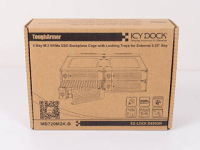
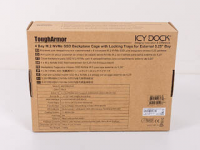
The box of the MB720M2K-B is pretty basic, but quite sturdy. It features a picture of the device on the front and some marketing bulletin points on the back of the cardboard package.
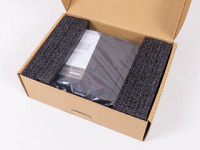
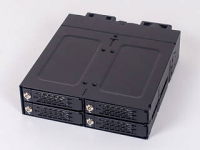
Two black foam spacers hold the unit in place, while a plastic bag keeps away scratches and finger prints. Out of the box, it quickly becomes apparent that the MB720M2K-B is not compromising on build quality, which is something bigger clients that require the best durability will surely appreciate.
Contents
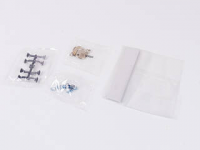
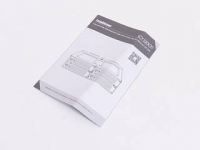
Besides the enclosure itself, you will receive little plastic numbering clips to easily identify which tray is supposed to go where, two sets of locking keys, and special, short mounting screws to secure the whole unit in place. A simply but quite useful manual can also be found, which came in handy when filling each tray.
A Closer Look
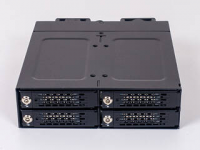
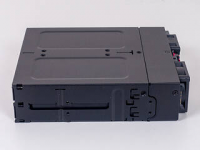
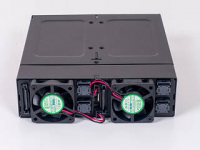
Taking a closer look at the ToughArmor MB720M2K-B, essentially every structural element is made out of some sort of metal. The outside is all black with the individual tray-locking mechanisms also utilizing the sturdy material. Viewing it from the side, you can clearly see that this isn't simply a folded steel plate, as quite a bit of engineering has gone into the unit to make it as robust as possible. Once again, if someone like a government entity or big firm uses these in the field, it needs to be able to take the wear and tear. In the rear, you will find all the connections and external electronic elements of the hot-swap enclosure.
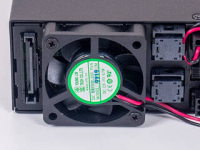
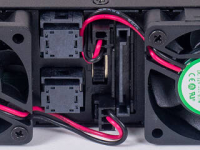
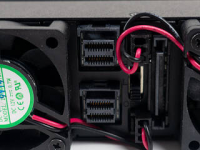
There are two 40 mm fans from Young Lin with the model number DFC401012M. I had a bit of a hard time finding some specifications on these, but ICY DOCK was kind enough to fill me in with the details: these run at 0.6 A and 0.7 W with 5400RPM while pushing 5.62 CFM and generating 24.87 dBA, each. There is an embedded fan switch that allows you to toggle these between an off, a mid, and a high state. Behind each of the square covers is a Mini-SAS interface to transfer data back and forth, while two SATA power plugs provide the juice to the four drives.
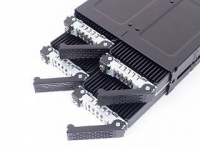
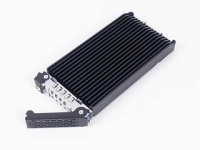
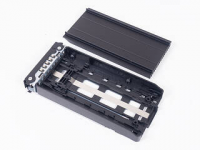
You may pull out the trays by pushing down on the smaller metal bit in the front that releases a lever arm. Once removed, you can see that there is a large, black aluminium heatsink for each unit. The only tangible plastic parts are the actual trays themselves, which seems a little out of place as steel would be safer if you were to, say, drop a tray. However, the plastic also acts as a good insulator to the otherwise bare M.2 NVMe drive.
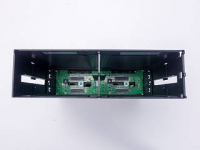
Taking a peek inside the empty enclosure, you can see the green PCB that leaves very little room for the fans to push through with three small rectangular openings for each.
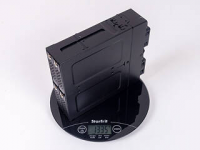
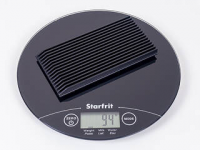
Before we dive into the assembly and testing of the ICY DOCK ToughArmor MB720M2K-B, putting the full unit on the scale, it quickly becomes apparent how uncompromising their approach is as it clocks in at 1335 g. Each individual aluminium heatsink puts a relatively massive 94 g on the scale.
Test Setup
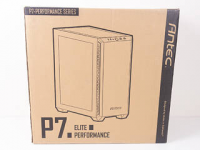
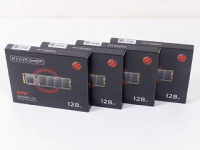
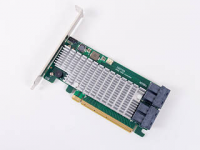

To review the unit, we were kindly provided with a chassis by Antec in the form of the P7 and four identical M.2 NVMe SX6000 Lite 128 GB drives by ADATA. Naturally, to get all this interfaced with our test system, we employed a high-end Highpoint SSD7120 hardware RAID PCIe controller card along with four identical Mini-SAS cables.
Assembly
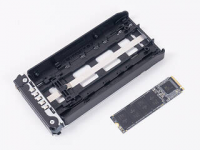
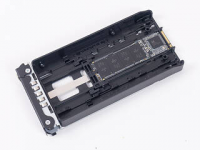
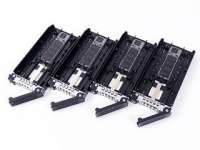
Adding the pretty fragile drives to each tray is actually quite simple as you place them at the center and slide down a locking clip to hold it in place. The whole process reminded me of refilling a printer with paper and sliding the green lock down to hold the stack in place.
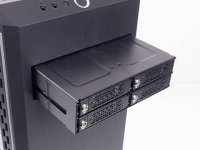
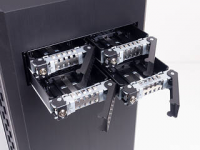
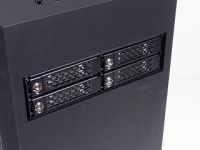
The ToughArmor MB720M2K-B installs just like a traditional ODD, but you really need to use the included short screws to secure it, as the longer screws which tend to come with your case will collide with the plastic trays. Putting the trays into place is pretty straightforward as well, and the metal locking mechanism feels extremely sturdy.
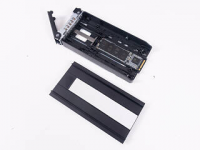
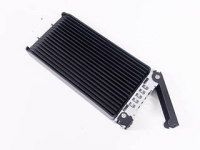
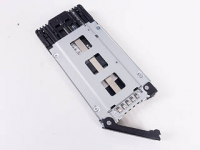
While the above shows you how we utilized the enclosure without the heatsinks to give you a full comparison and quantification of the heatsinks, you naturally should use the aluminium slabs. To effectively transfer heat from the drives to these, simply install each thermal pad in the right location. ICY DOCK has made sure they are long enough to cover big drives as well. The heatsinks easily pop back into place and make good contact because of the pad.
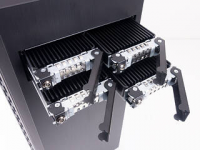
Fully assembled, you can easily slide these into place without any surprises, of course.
Performance - No Heatsink
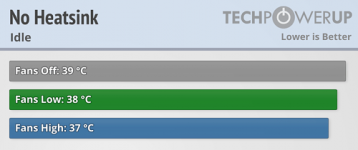
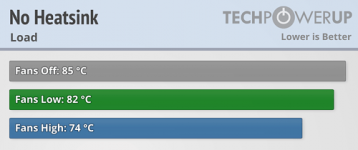
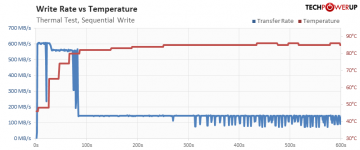
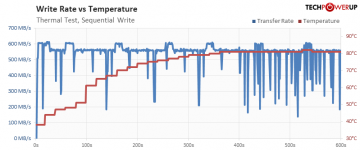
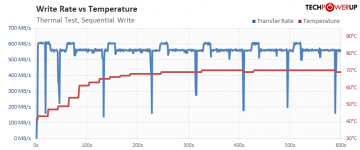
First, we benchmarked the drives without the heatsinks in place, during which they got quite hot in their cages. While running idle had no real world implication regardless of fan settings, things looked much different when putting quite the load on them. For this test, we use the same benchmarking as we do in our separate SSD reviews to heat them up, and with the fans off or on low, the drives would go beyond 80°C in no time. On high, things were not looking much better with temperatures as high as 74°C at worst.
As you can see below, that means the drives simply throttle completely with no fans and are negatively affected by throttling down on the low fan setting. Only once things are switched to high do they manage to stay just cool enough to provide their full performance.
Fan Off
Fan Low
Fan High
Performance - With Heatsink
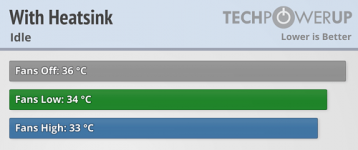
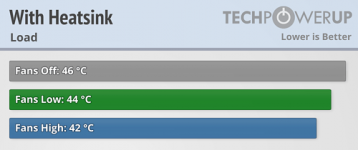
In comparison, with the heatsinks on, the benefit really showed during the load tests as temperatures never even came close to breaking 50°C. The graph below shows how well behaved the drives are with even the fans off, which is because of the massive 94 g heatsink employed for each NVMe drive. This basically means the MB720M2K-B can be used in extremely hot environments without issue as there is plenty of thermal headroom.
Fan Off

Noise Levels
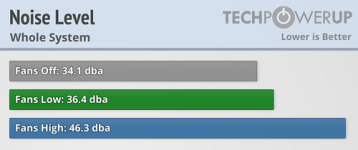
Taking a look at the noise levels, it also quickly becomes apparent that you would not want to use the fans in a single-user workstation setting as they are way too loud while only really providing quite the limited benefit in regards to cooling performance. That having been said, there are plenty of scenarios where airflow trumps noise—say, in a commercial airline or a government deployment where basically anything surrounding these bays will be louder anyways.
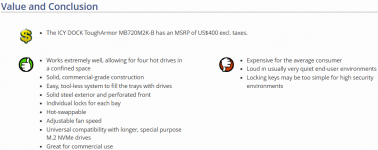
One thing should be absolutely apparent from this review: if you are a normal end-user this is not for you. There are no consumer motherboards out there that offer the connectivity needed to make the most of the ICY DOCK ToughArmor MB720M2K-B. Your best bet would be to stick to PCIe cards with onboard slots and a software raid solution for most scenarios. There are plenty of 4-way solutions out there with companies like Asus and AsRock providing these at a fairly affordable price point—or if U.2 is your thing, you could simply buy an NVMe to Mini-SAS adapter. That having been said, while the MB720M2K-B is very expensive when viewed in a retail consumer environment, if your organization has U.2 and is looking to utilize that connectivity, it would boil down to fairly expensive U.2 enterprise level SSDs instead.
If you see the need to spend $500 or more on a special PCIe x16 hardware RAID controller and around $100 just on the cables, and are looking to take some seriously high performance M.2 NVMe SSDs to create an incredibly fast RAID array with hot-swap functionality for your workstation, then the $400 are certainly a tangible option because it could be the difference between relatively long down times or a quick response time and thus uptime in whatever mission critical environment you are running.
From an end-user perspective that is the framework in which the ICY DOCK ToughArmor MB720M2K-B really starts providing value. Things become much clearer as soon as you consider expensive, critical commercial systems and scenarios where downtime or data loss could mean the difference in a make or break scenario. Elevate that further into a government or military setting and, well, you get the idea. That is where the ICY DOCK ToughArmor MB720M2K-B aims to deliver, and as simple as the value proposition may seem: it does.

